Collecting ghosts
Your ghosts, In Progress and packs
The Ghosts tab holds every ghost you have caught, the ghosts you are still catching in an In Progress row, and the packs you own. You can sort, search and open any of them.
- Available on iPhone and Android
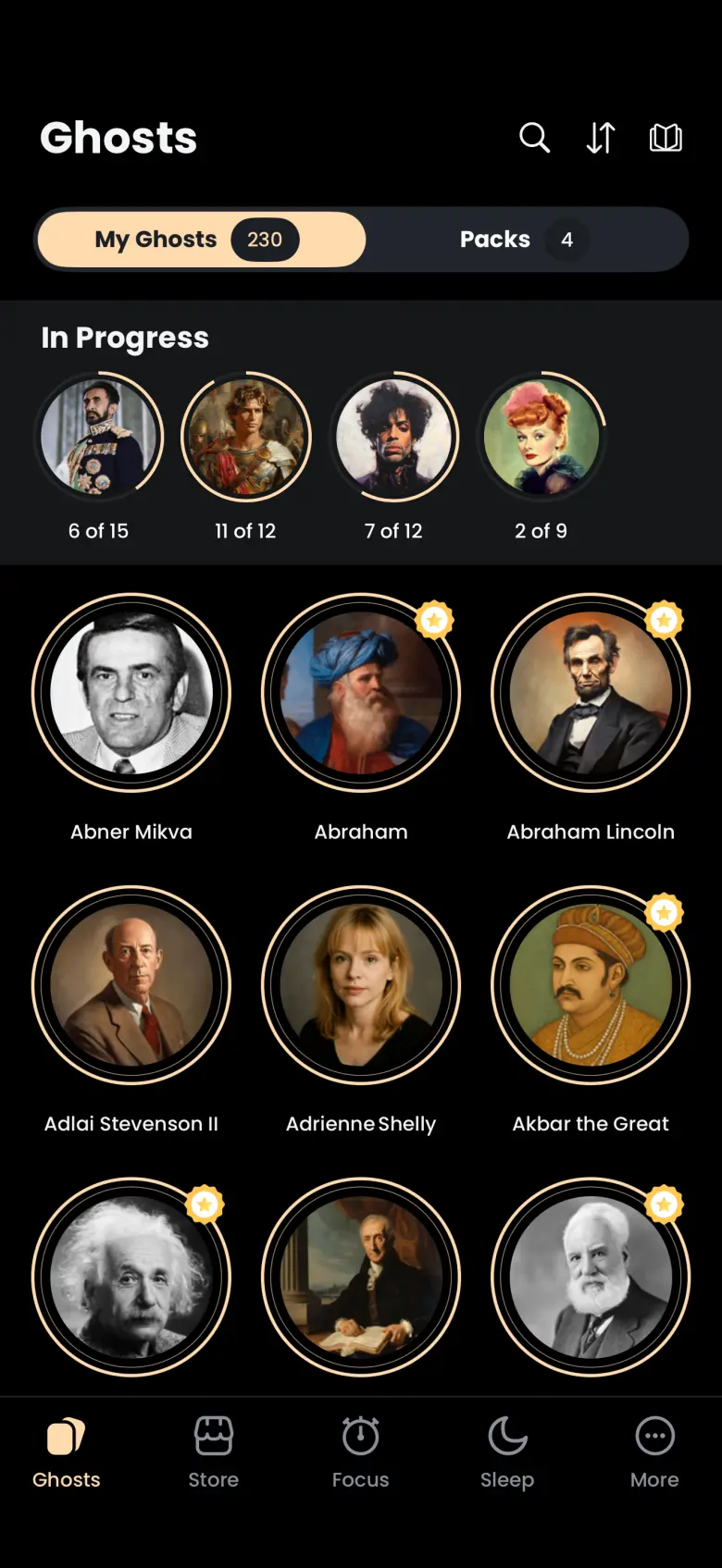
The Ghosts tab is your collection. My Ghosts lists every ghost you have finished catching, the In Progress row above it lists the ghosts you have started but not finished, and Packs shows the themed sets you own. It is the first tab in the bar on iPhone and Android.
Where do I find the ghosts I have caught?
Open the Ghosts tab and stay on My Ghosts. Every ghost you have caught appears as a round portrait in a three-column grid, with the number you have caught shown on the tab itself. A small gold star on a portrait marks a Legendary ghost.
Tap a portrait to open that ghost’s page. Ghost pages, apparitions and liked quotes explains what you will find there.
What does the In Progress row show?
In Progress lists the ghosts you have not finished catching. A ghost has many apparitions, so each portrait carries a label such as 11 of 12: the apparitions you have caught, out of all the ghost has. The row puts the ghost you worked on most recently first.
A lost apparition never removes a ghost from this row. If you stop a Deep Focus session early, the apparition you were catching gets away, but the ghost stays in In Progress with the same count, ready for your next session. A ghost leaves the row only when you catch its final apparition, and from then on it lives in the My Ghosts grid.
Tap an In Progress portrait to see the apparitions you have found so far. The ghost’s name and portrait stay hidden until the story is complete.
How do I sort my ghosts?
Tap the up and down arrows at the top of the Ghosts tab. A Sort By sheet offers Ascending Order (A to Z), Descending Order (Z to A), Newest to Oldest and Oldest to Newest, and a tick marks the current choice. Newest and Oldest refer to when you caught each ghost.
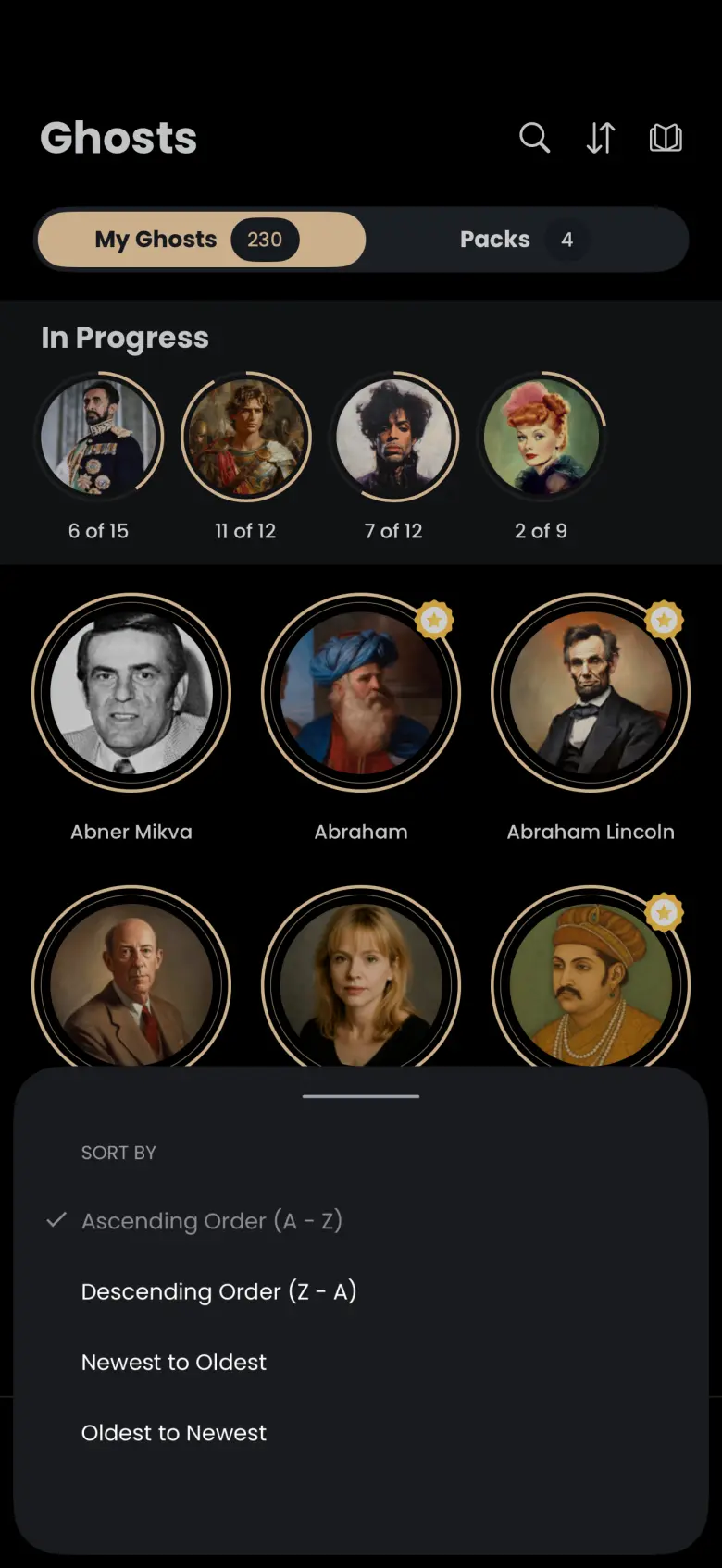
Your choice is remembered the next time you open the app. Sorting reorders the grid and your packs, and it does not change the In Progress row.
How do I search for a ghost?
Tap the magnifier at the top of the Ghosts tab, then type a name. The grid narrows to the caught ghosts that match as you type, and the In Progress row hides while you search. Tap Cancel to close the search and bring everything back.
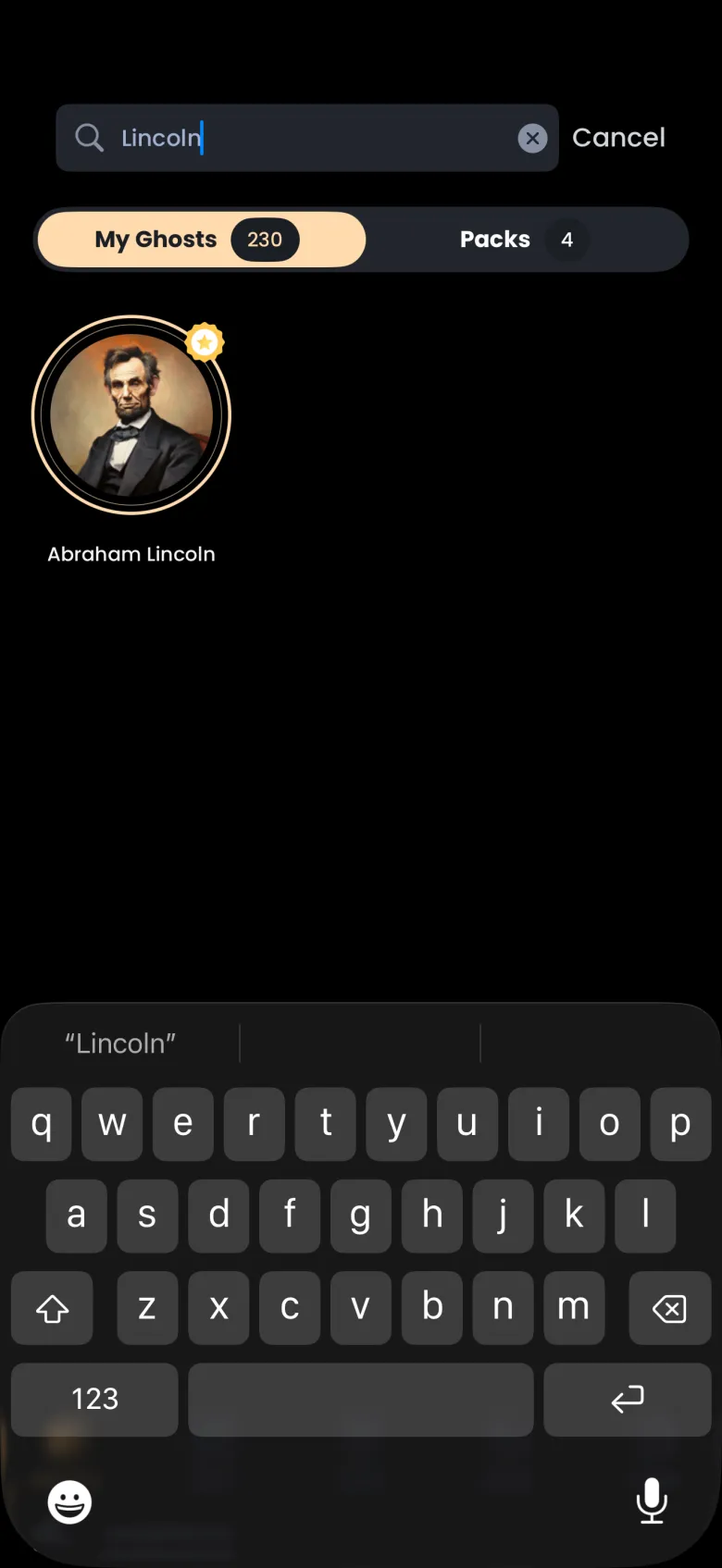
Search covers the ghosts you have caught. To look up any ghost in the library, including ones you have not met, use the book icon at the right of the same header to open the Encyclopedia.
What is the Packs tab?
Packs shows each pack you own and how much of it you have caught. A pack is a themed set of ghosts, such as Actors or Great Authors, that you buy in the Store with coins. Each card shows the pack’s cover, its name and a count such as 4/6 caught with a gold progress bar.
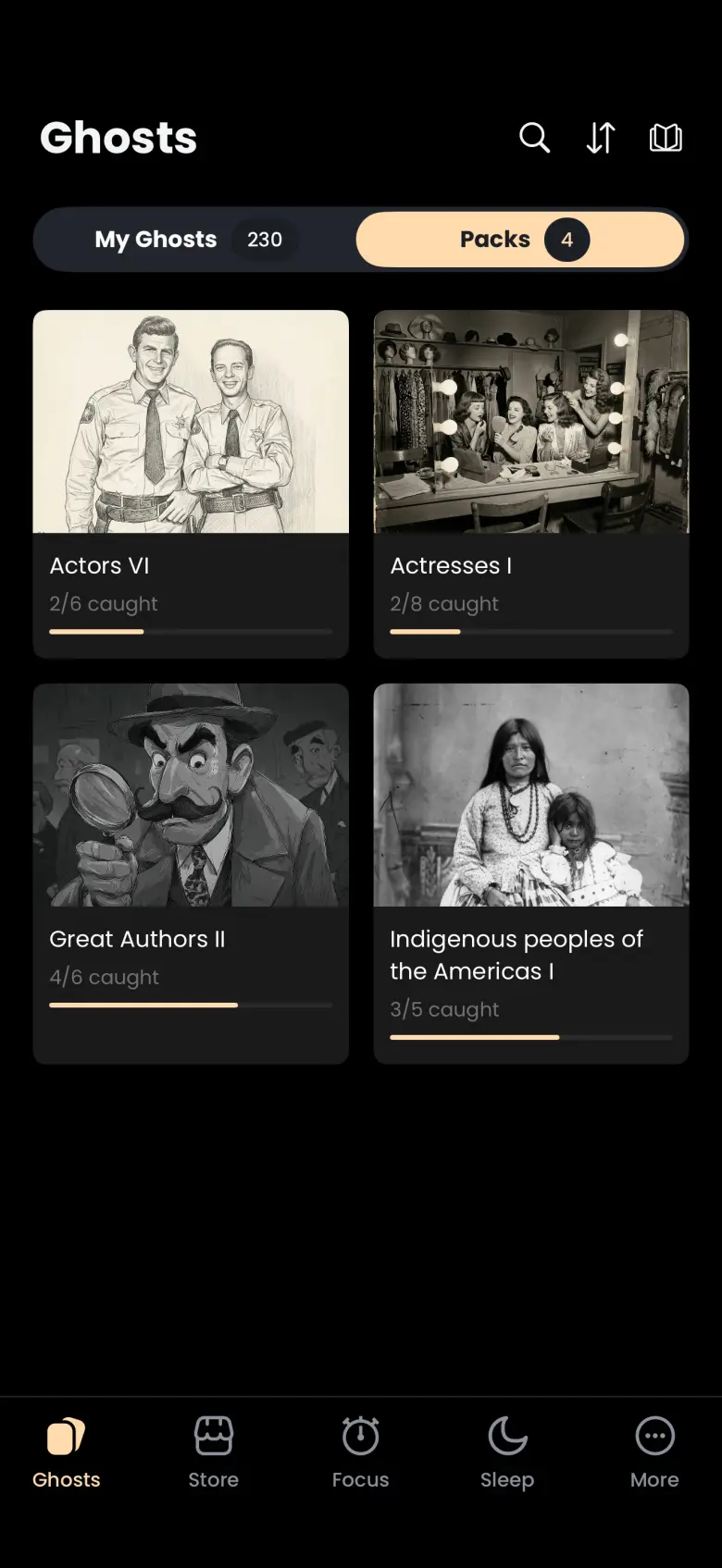
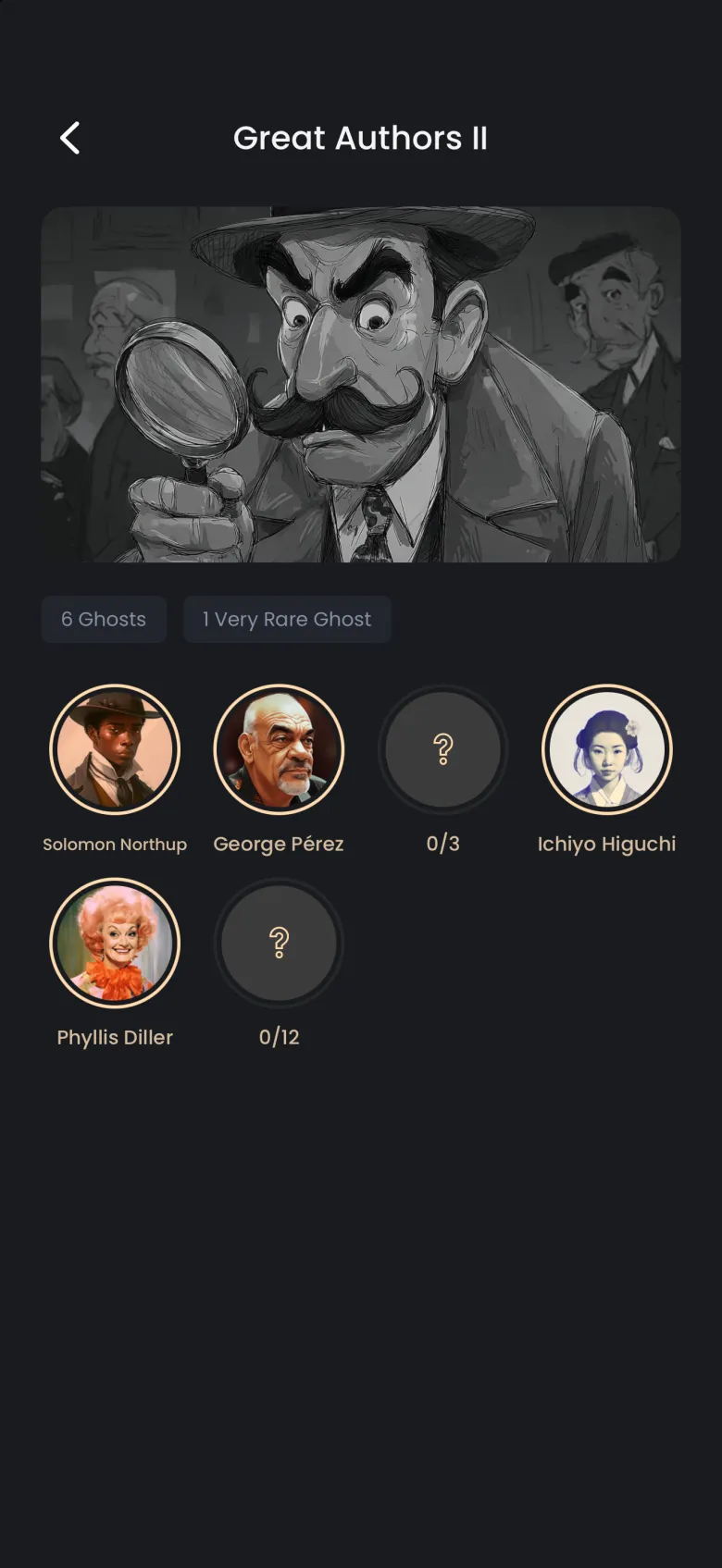
Tap a pack to open it. Ghosts you have caught show their portrait and name. A ghost you have not caught shows a grey circle with a count such as 0/3, which is the apparitions you have caught out of the total. See Store and packs for how to buy more.
How do I catch a ghost I own but have not caught yet?
Tap its circle in the pack, then tap the arrow on the card that appears to head to the timer. A circle with a cloud icon has not downloaded yet, so the first tap fetches it and needs a network connection. Once it shows a question mark, a second tap selects it and a card at the bottom reads Run a focus timer to catch your next apparition.
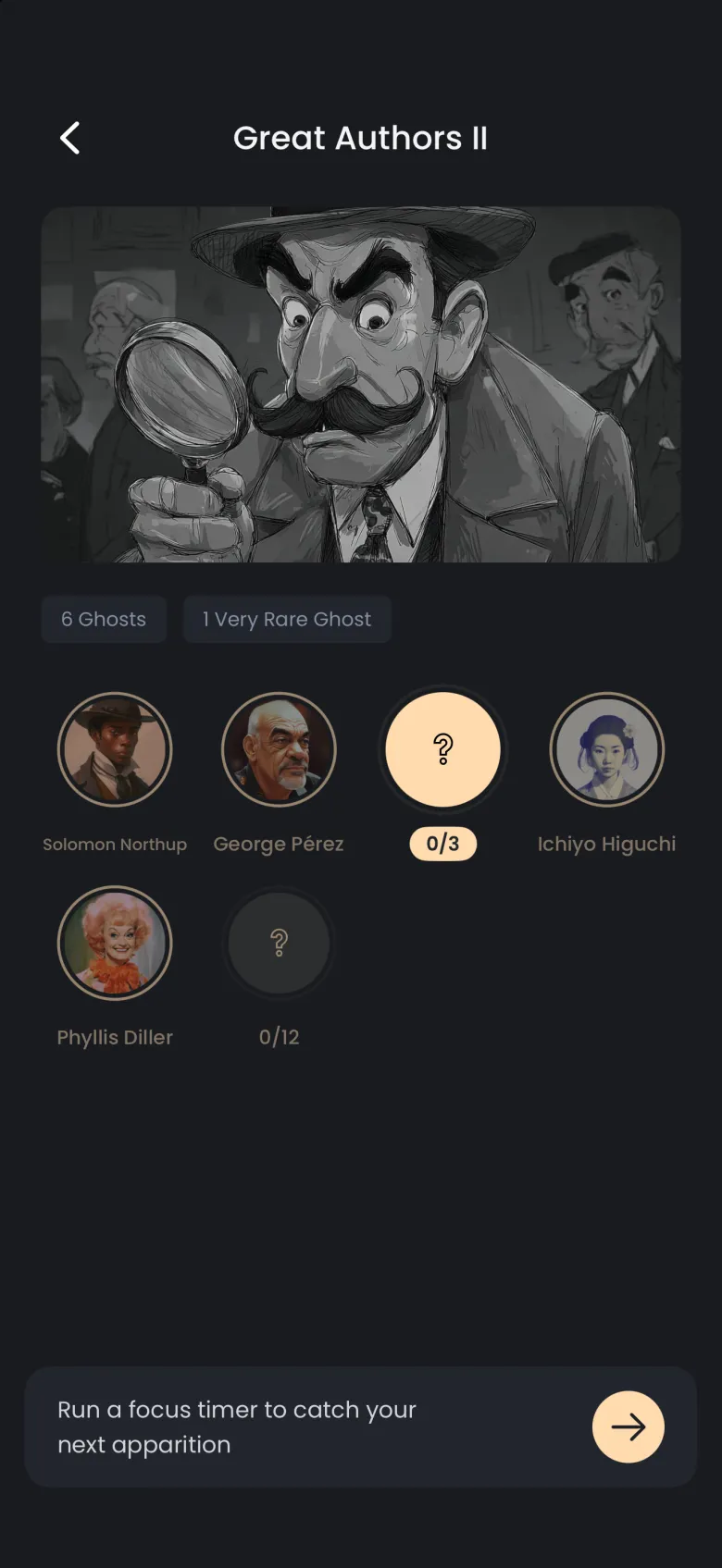
Tapping a ghost you have already caught shows a card with its name instead. Tap the lightbulb on that card to open the ghost’s page.