Streaks and progress
How streaks work
Your streak counts the days in a row you finished a focus session, pays a bigger coin multiplier as it grows, and can be recovered with coins if you miss a day.
- Available on iPhone and Android
Your streak is the number of days in a row on which you finished a focus session. It lives on the Streak screen, grows a coin multiplier at fixed milestones, and has a real stake: miss a day and the count resets unless you recover it, which costs coins. This page covers the Streak screen, the milestones, the calendar, and both ways to recover a broken streak.
Where do I see my streak?
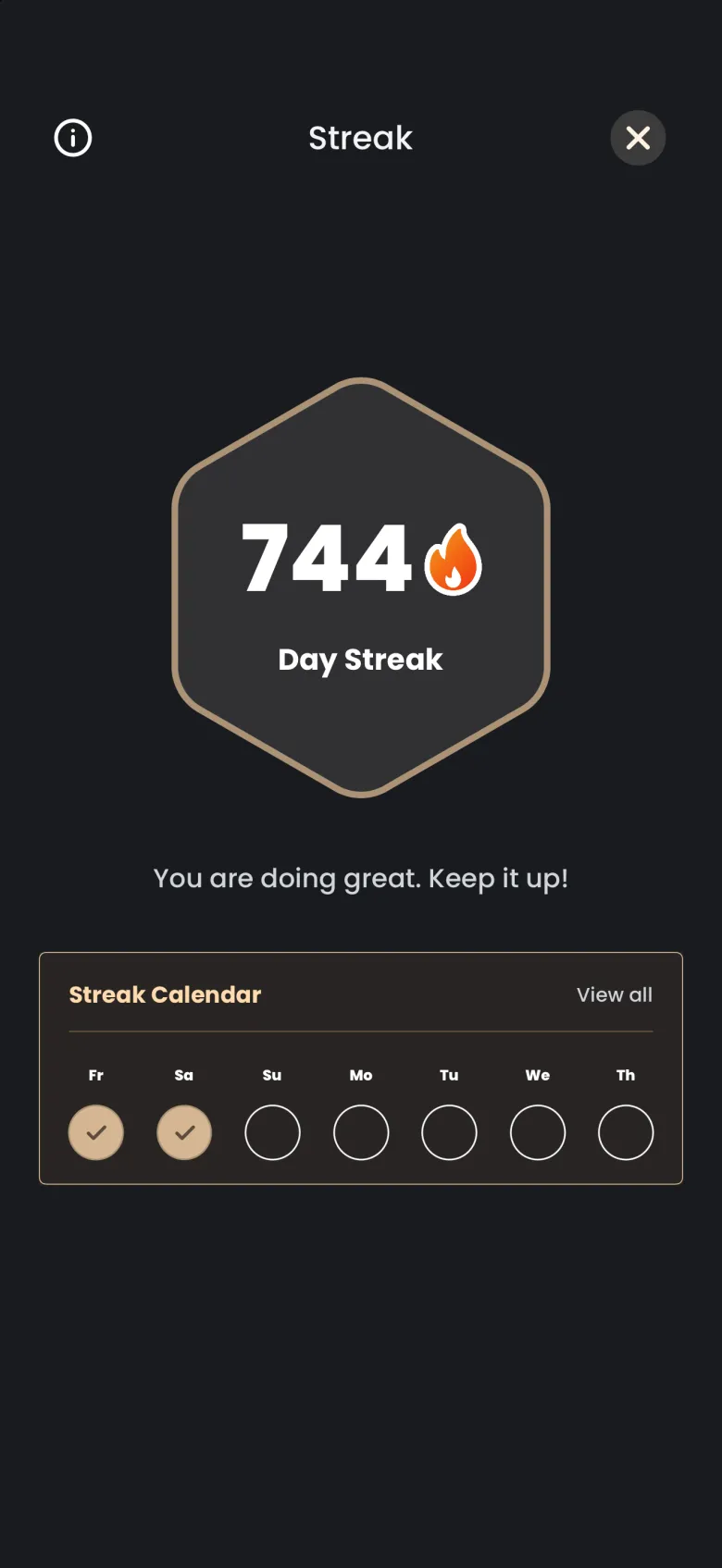
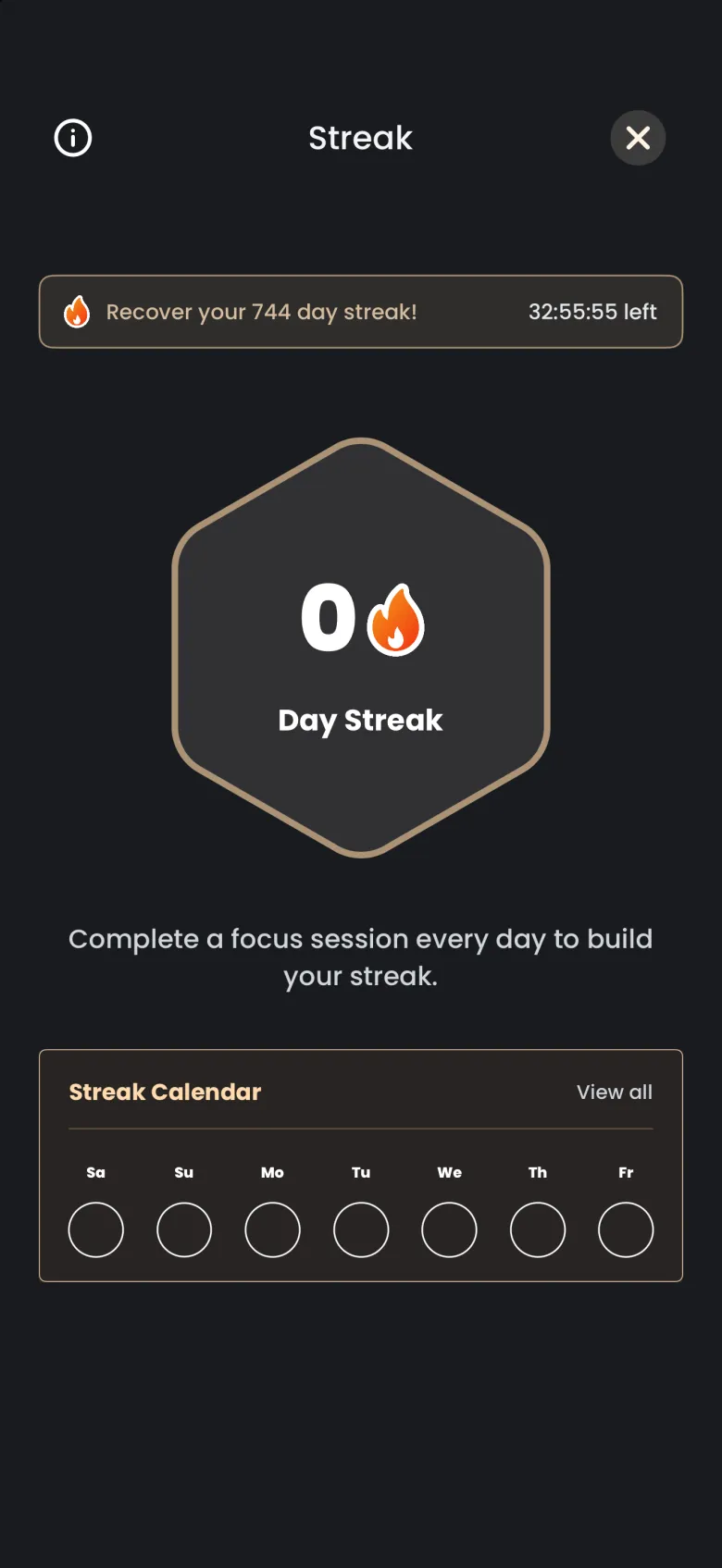
Your current streak sits in the header of the Focus tab, in a flame pill next to your coin balance. Tap it and the Streak screen opens with the day count inside a hexagon, a short message, and a Streak Calendar strip. The same screen works on iPhone and Android.
- On the Focus tab, tap the flame pill with your day count.
- Read the count in the hexagon. The strip under it shows seven days, with a tick on each day you finished a session.
- Tap the X at the top right to go back to the Focus tab.
What counts toward my streak?
A day counts when you finish a complete focus session on it. Deep Focus, Shallow Focus and the Sleep Timer all count. A session that you stop before the timer ends does not count, so if it was your only attempt that day, the day is missed.
Stopping a Deep Focus session early also forfeits the apparition you were catching, and its ghost stays in In Progress. Your streak does not depend on catching anything, only on finishing a session. See Stakes and grace periods for what ending early costs.
What do the streak milestones do?
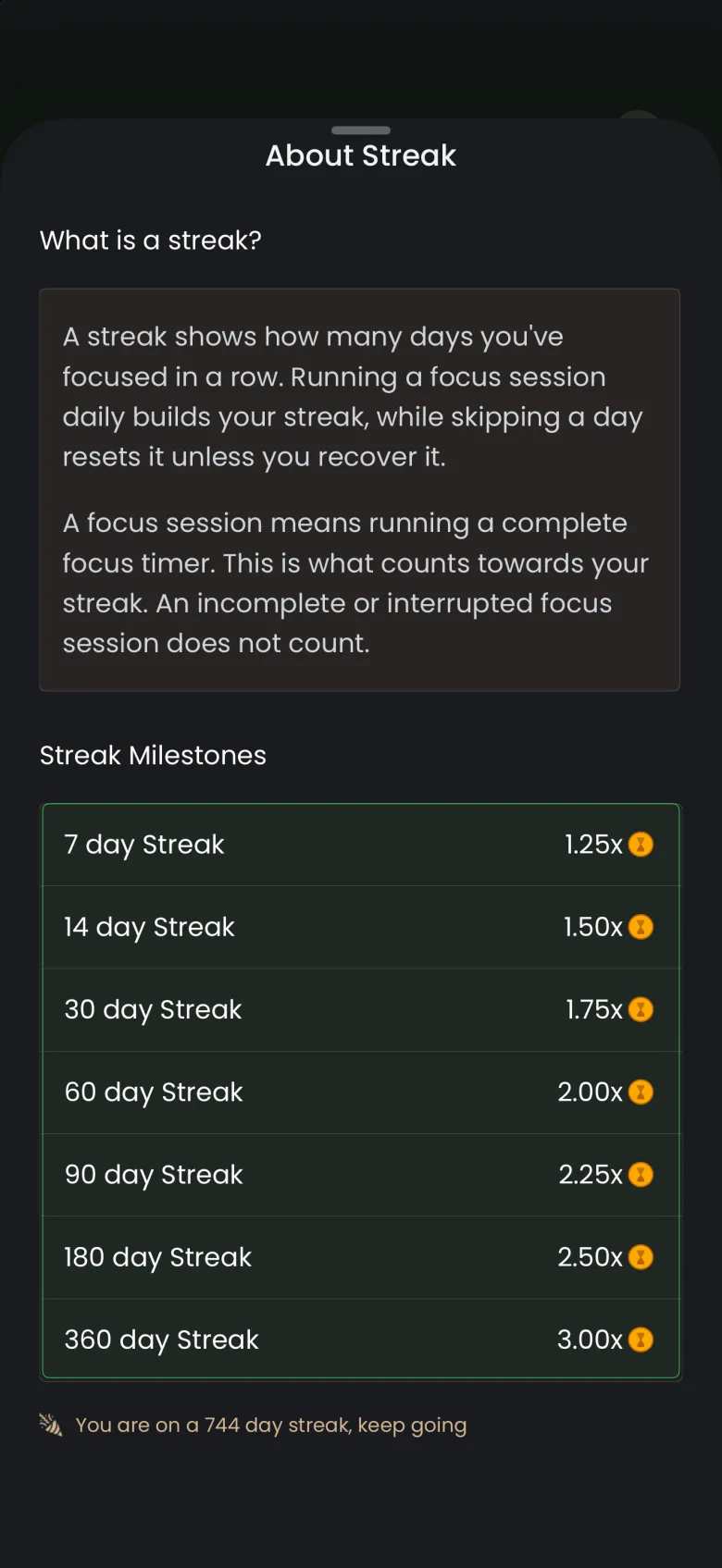
Each milestone raises the coin multiplier on your sessions. The multiplier starts at 1.25x on a 7 day streak and climbs to 3.00x at 360 days, so a longer streak pays more for the same 25 minutes. The milestones are listed on the About Streak sheet.
- On the Streak screen, tap the circled i at the top left.
- Read the Streak Milestones list: 7 days at 1.25x, 14 at 1.50x, 30 at 1.75x, 60 at 2.00x, 90 at 2.25x, 180 at 2.50x and 360 at 3.00x. The last line shows your current count.
- Drag the sheet down by its handle to close it. On Android, system Back also closes it.
How do I see every day of my streak?
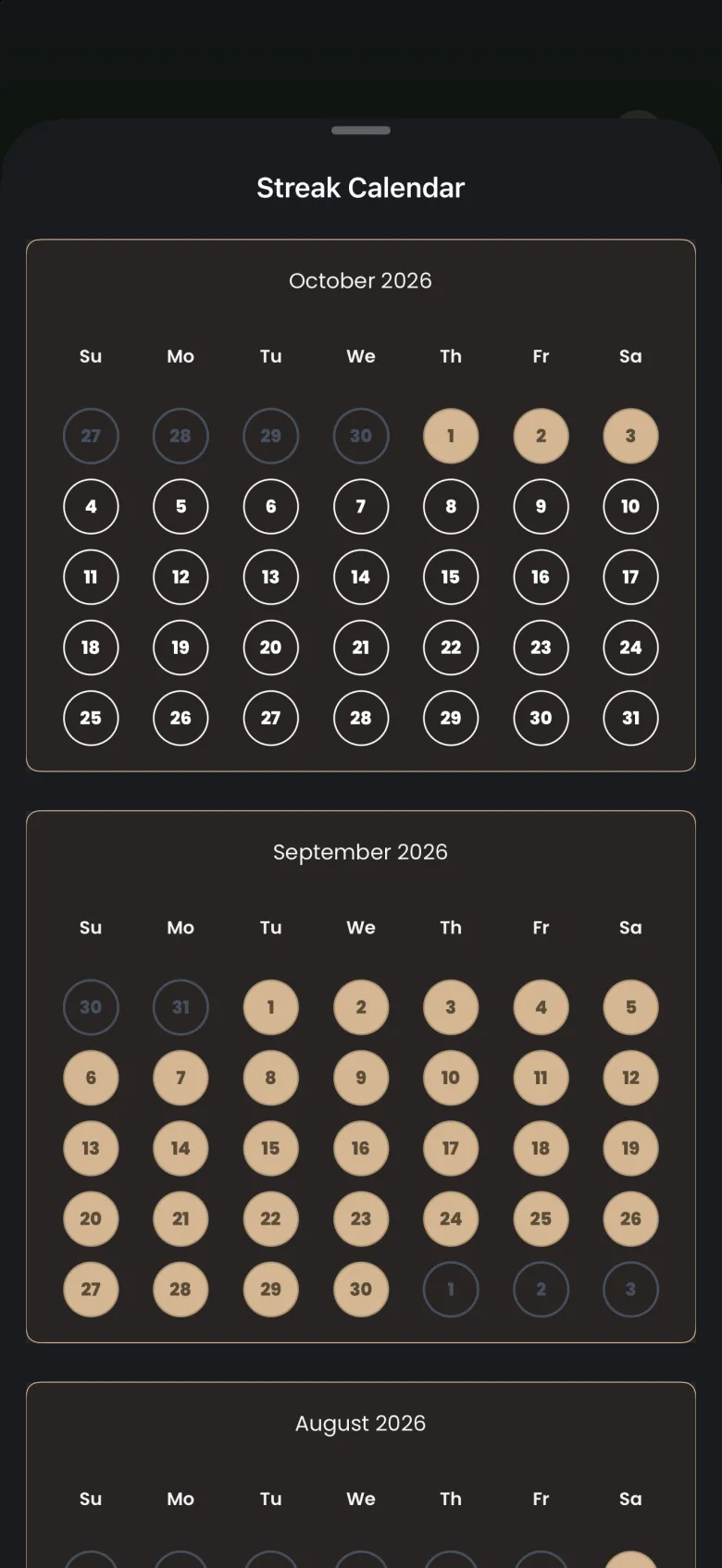
The Streak Calendar shows each day of your streak, month by month, with the newest month first. A filled circle is a day you finished a session. Use it to check a run or to find the day a streak began.
- On the Streak screen, tap View all at the right of the Streak Calendar card.
- Scroll down to move back through earlier months.
- Drag the sheet down by its handle to return to the Streak screen.
What happens if I miss a day?
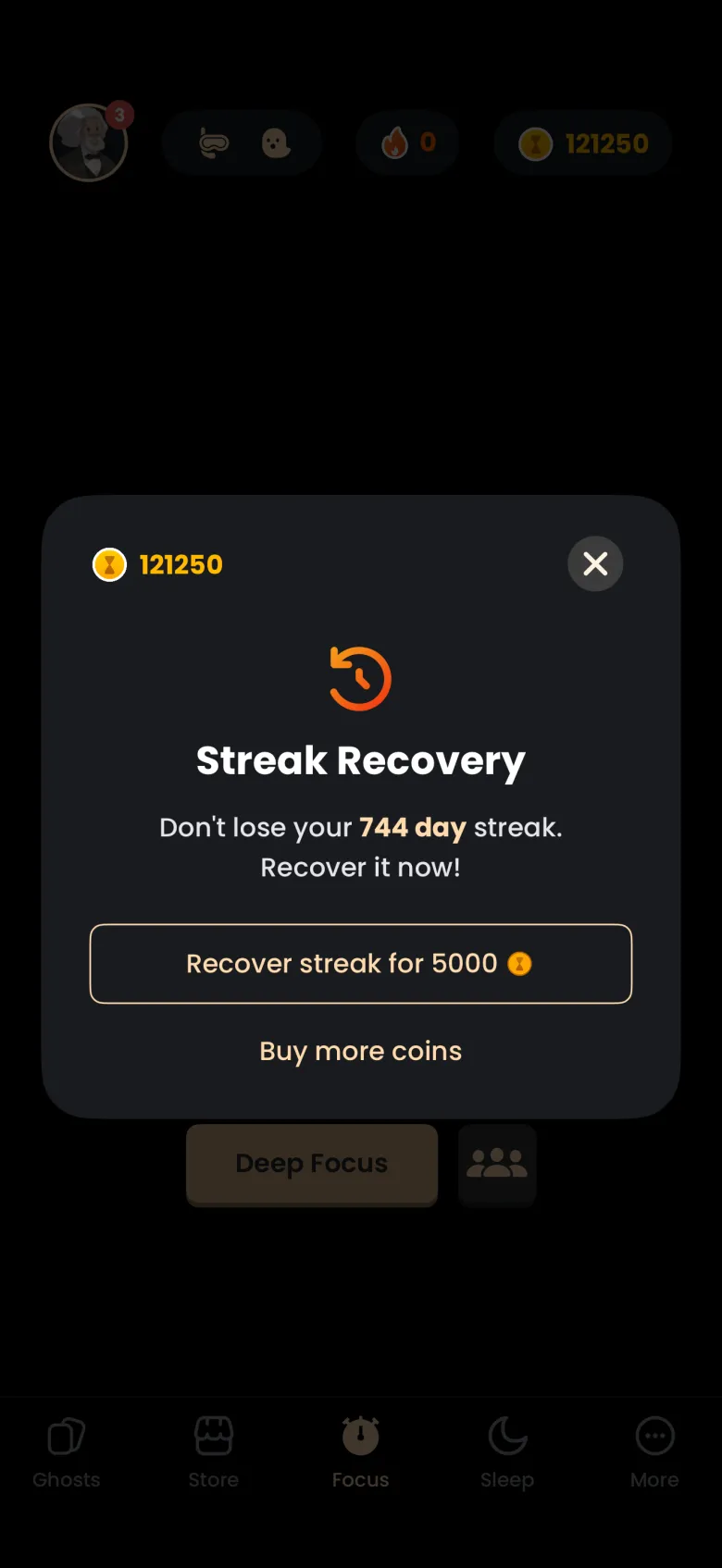
If you miss a day, your streak count drops to 0 and the app offers to recover it. Recovery costs 5000 coins and brings back the streak you had. You choose whether to pay; no coins leave your balance unless you confirm.
When a day is missed, a Streak Recovery window opens over the Focus tab with the line “Don’t lose your streak. Recover it now.” It shows your coin balance, a Recover streak for 5000 button and a Buy more coins link for when you are short.
How do I recover a broken streak?
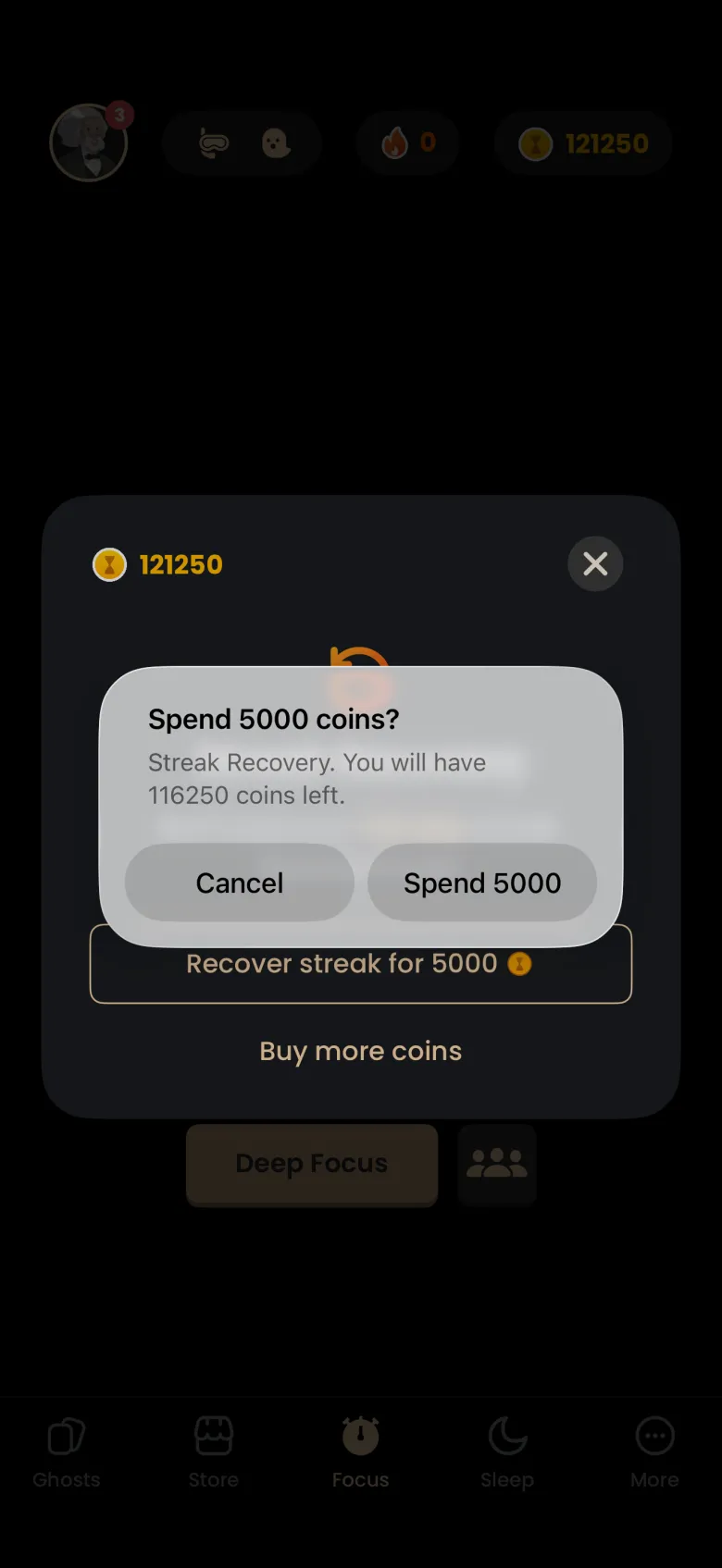
Tap the recover button and confirm the spend. A confirmation shows the cost and what your balance will be afterwards, and nothing is charged until you tap Spend. The recovery window is timed, so recover before the countdown ends.
- In the Streak Recovery window, tap Recover streak for 5000.
- Read the alert. It names the cost and the coins you will have left.
- Tap Spend 5000 to recover, or Cancel to leave the streak as it is.
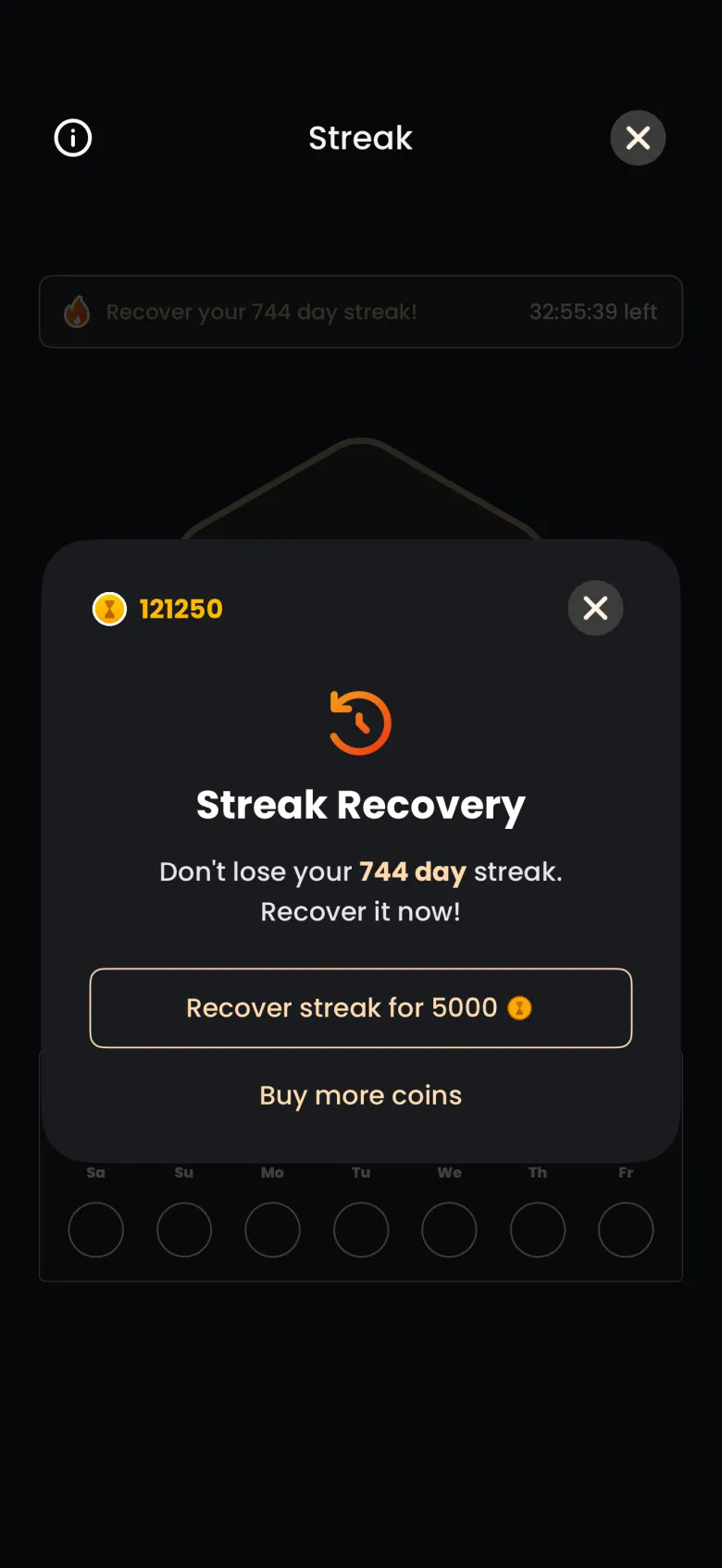
If you close the offer, you can come back to it. The Streak screen shows a banner across the top while recovery is still possible, with the time left. Tap the banner to reopen the offer. If the countdown ends first, the old streak is gone and a new one starts the next time you finish a session.
What is Auto Streak Recovery?
Auto Streak Recovery is a coin purchase that restores a missed day for you, without a prompt. You buy it in advance for 5000 coins, and the app keeps the number you own. When you miss a day and own at least one, the app uses one automatically and tells you the streak was recovered.
To buy one, open the Coins page and find Auto Streak Recovery. A confirmation alert shows the cost and your balance afterwards before any coins are spent. See Coins for how the Coins page works.
Is my streak safe if I reinstall or travel?
Yes. Your streak is calculated on our servers, not stored only on your phone, so reinstalling the app, switching to a new phone or finishing a session while offline does not silently cost you days. Travelling across time zones also never removes days you have already earned.