Focus sessions
Ambience sounds and breaks
Play one of six background soundscapes while you focus, then take a timed break from the rewards screen when a session ends. Both are free on iPhone and Android.
- Available on iPhone and Android
How do I play a background sound during a session?
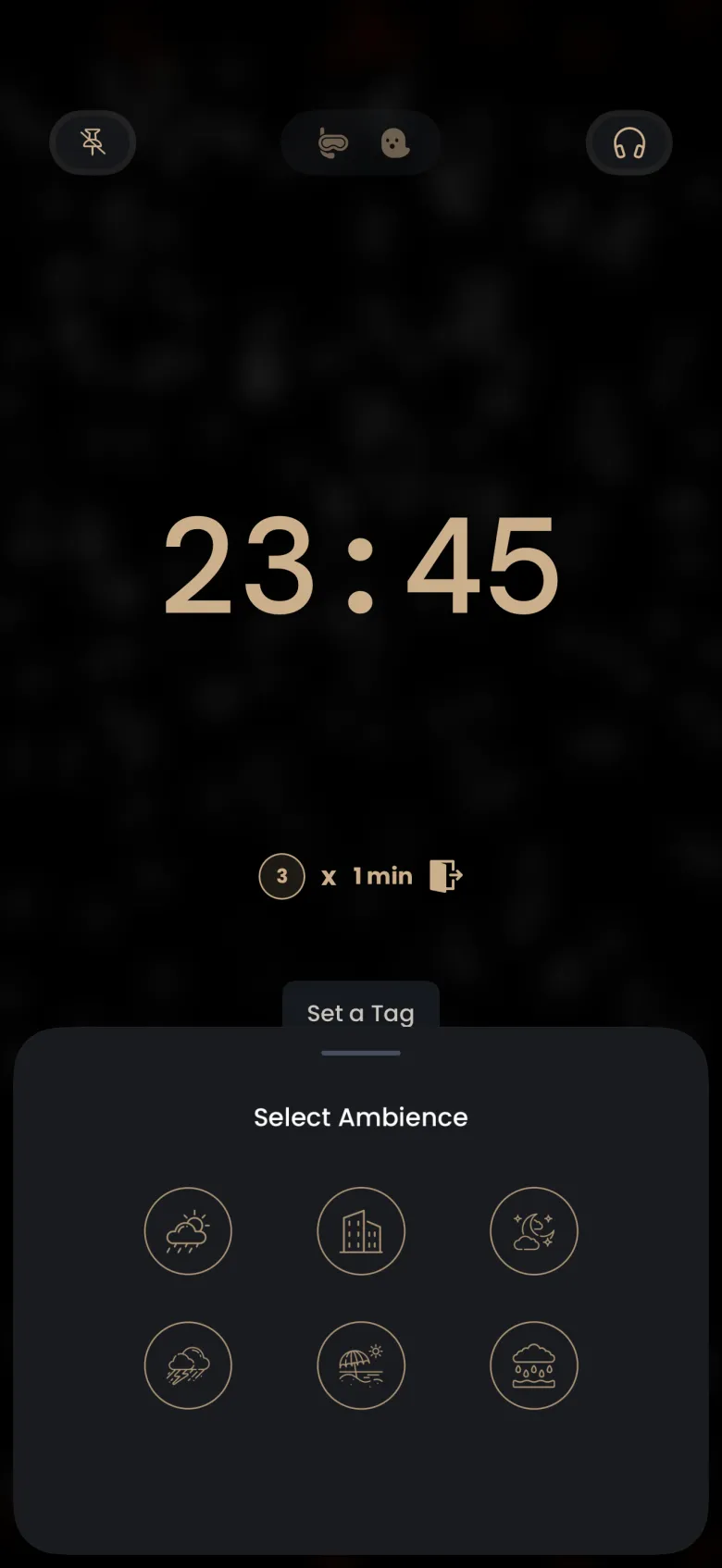
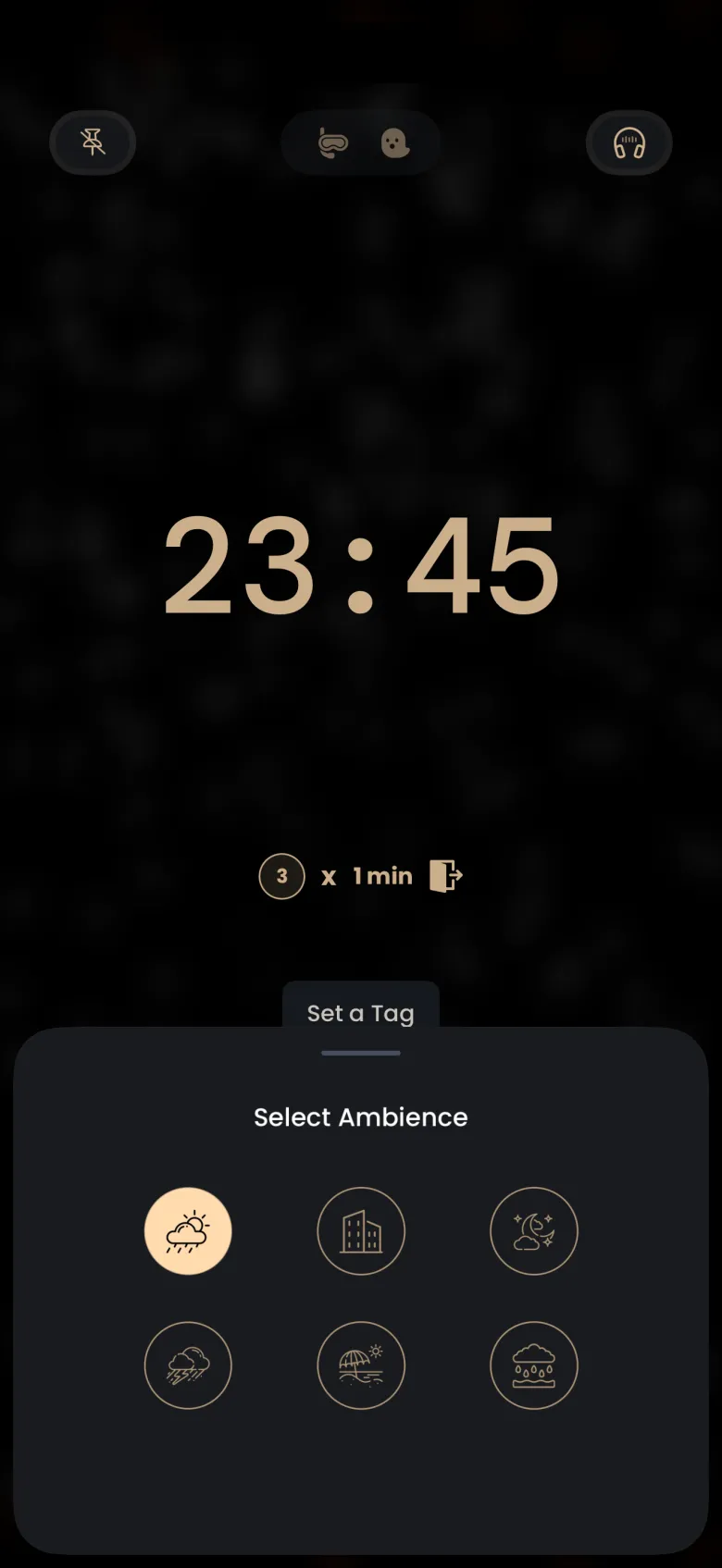
Tap the headphones button at the top right of the running timer and choose a sound. There are six: rain, a busy cafe, a forest at night, a thunderstorm, a beach at sunrise, and rain on the beach. In Deep Focus the buttons along the top appear when you tap the hourglass to peek, so peek first and then tap the headphones.
- While a session runs, tap the hourglass once to peek at the controls.
- Tap the headphones button at the top right. The Select Ambience sheet opens with six round sound buttons.
- Tap the sound you want. Its button fills with gold and the sound starts.
- Close the sheet by dragging it down or tapping above it. You are back in your session.
How do I stop or change the sound?
Tap the gold sound again to turn it off, or tap a different one to switch. The sound keeps playing in the background of your session until the session ends, so you do not need to reopen the sheet unless you want to change it. The Sleep Timer screen has the same headphones button.
How do I take a break after a session?
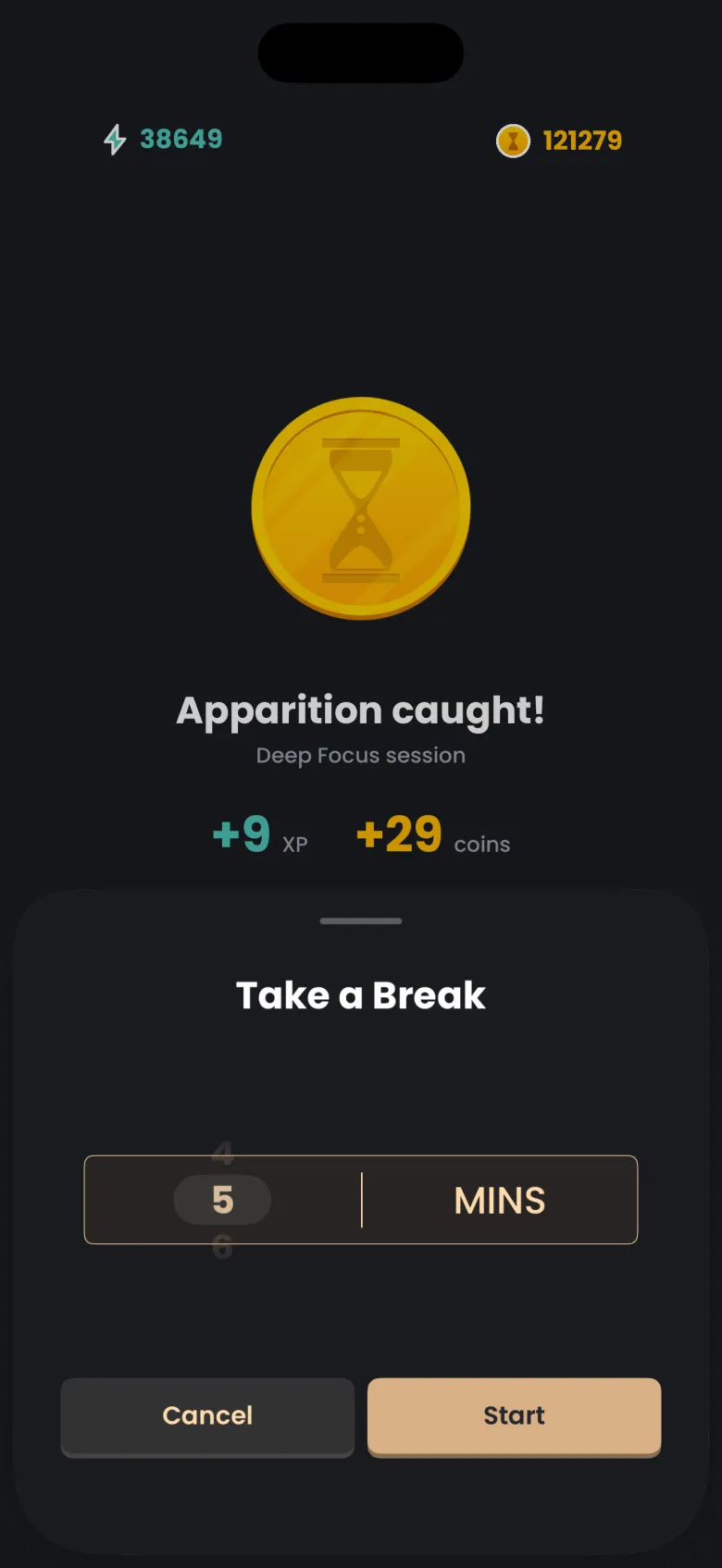
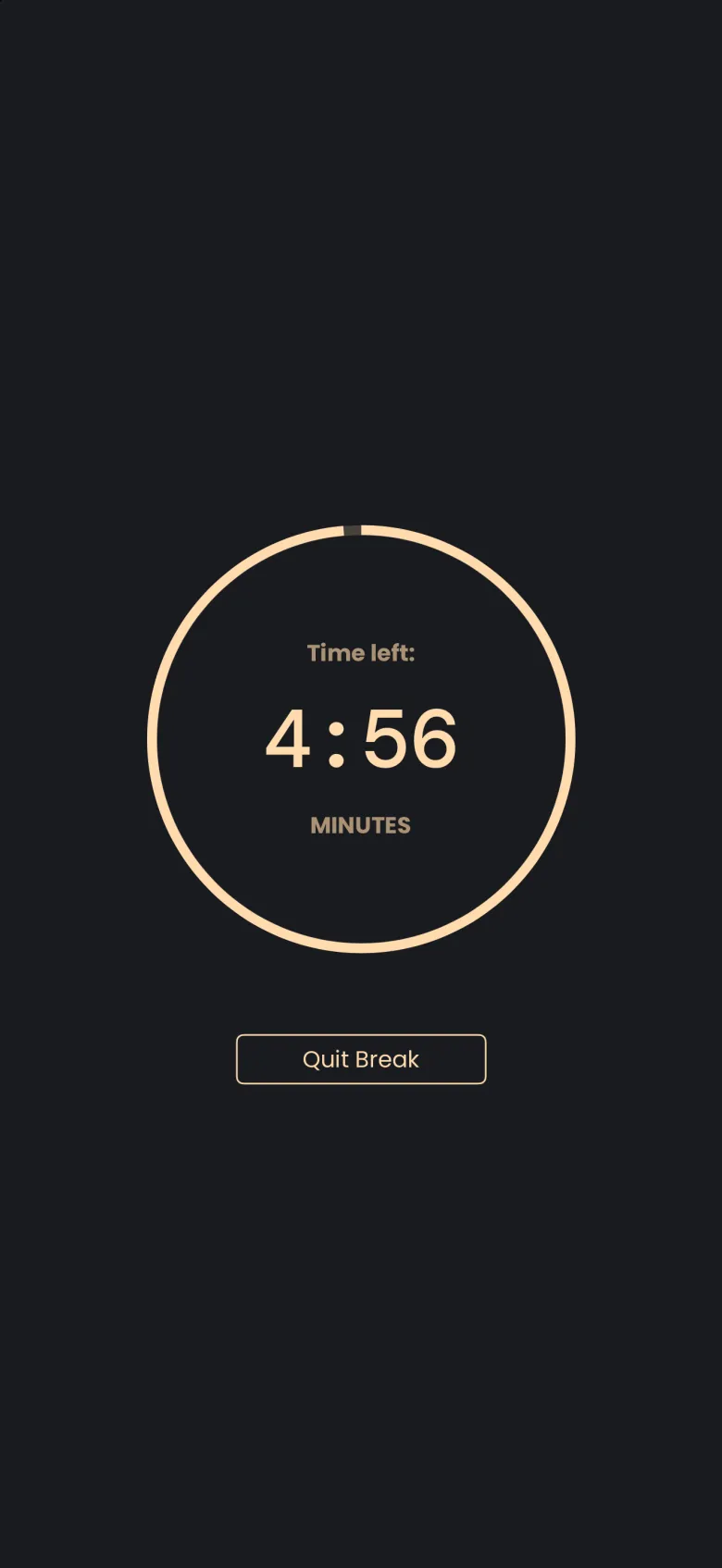
When a session ends, the rewards screen offers Take a Break next to Continue. Tap it, choose how many minutes you want on the wheel, which starts at 5, and tap Start. The break counts down in a ring on its own screen.
- On the rewards screen after a session, tap Take a Break.
- Set the minutes on the wheel. The default is 5.
- Tap Start. A ring counts down your time left.
Can I end a break early?
Yes. Tap Quit Break and you return straight to the Focus tab. There is no confirmation step, and you do not need to wait for the ring to finish.