Focus sessions
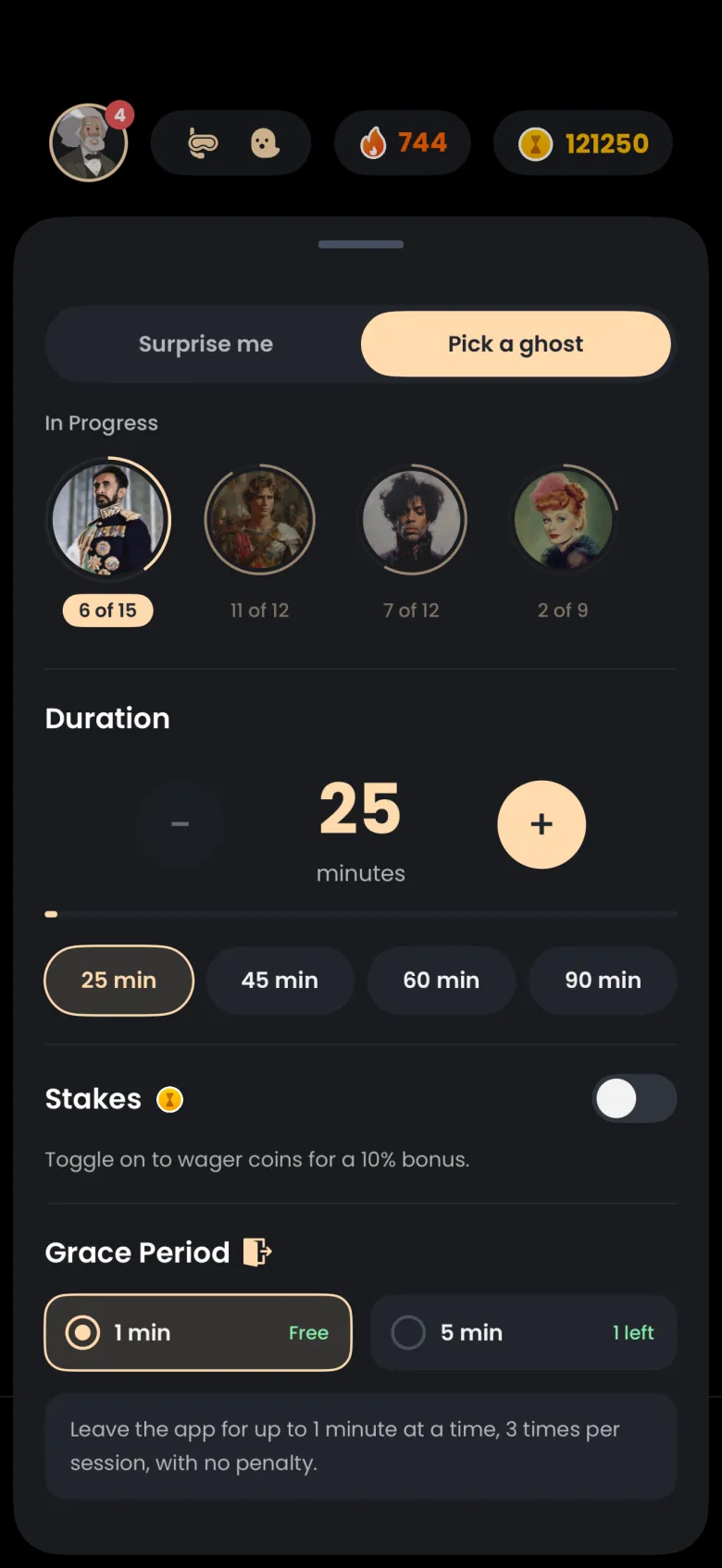
Stakes and grace periods
A Deep Focus session has real stakes. Ending early or staying away too long loses the apparition you were catching, and coins are only ever at risk if you choose to stake them. Grace periods give you three one minute exits per session to step away.
- Available on iPhone and Android
What is at stake in a Deep Focus session?
The apparition you are catching is at stake. If you end the session early, or stay away from the app for longer than your grace period allows, that apparition gets away. The ghost stays in In Progress with the same chapter count, so nothing about your collection shrinks. We reward focus and the language never blames you, but the stake is real, and your streak follows its own rules, described in How streaks work.
Coins are a separate, opt-in stake. Nothing is taken from your balance unless you turned on Stakes before the session. Until you have caught three apparitions, the only way to lose one is to stop the timer on purpose.
Why is the Stakes switch greyed out?
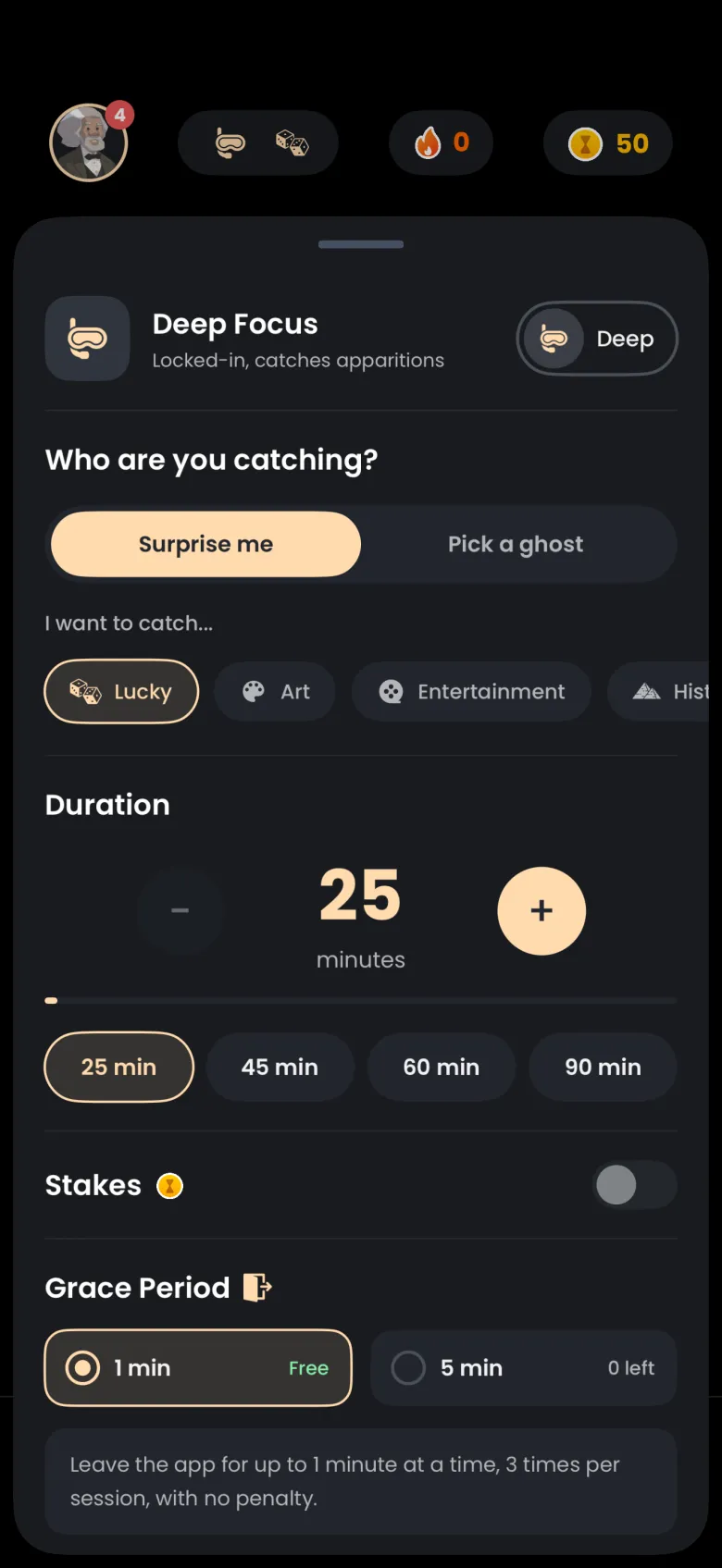
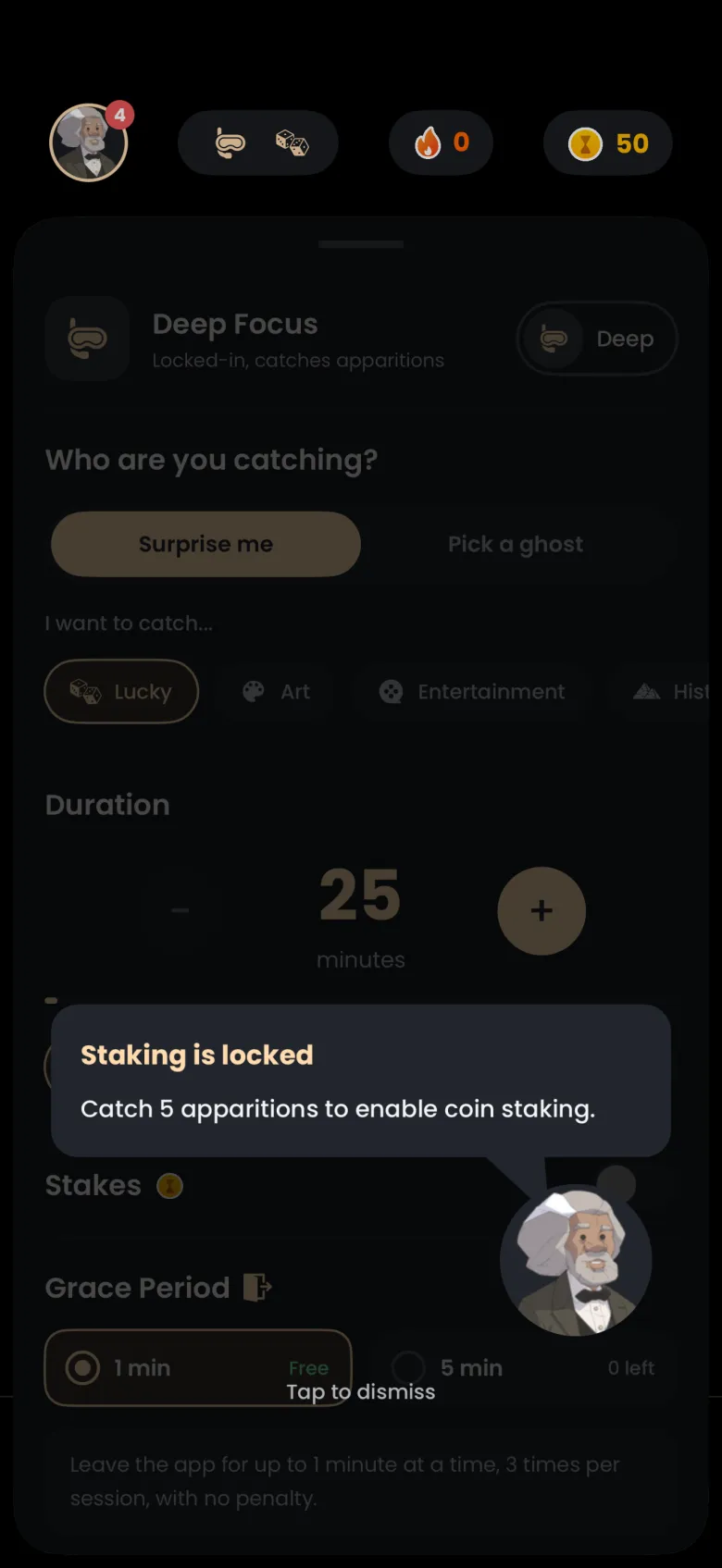
Coin staking unlocks after you have caught 5 apparitions. Until then the Stakes switch in the focus settings sheet is greyed out, and the Grace Period section still offers the free one minute grace. Tapping the locked switch brings up your guide with a short note on how many apparitions unlock staking, and a tap anywhere dismisses it. Your first three catches are also practice; see Practice catches.

How do I stake coins on a session?
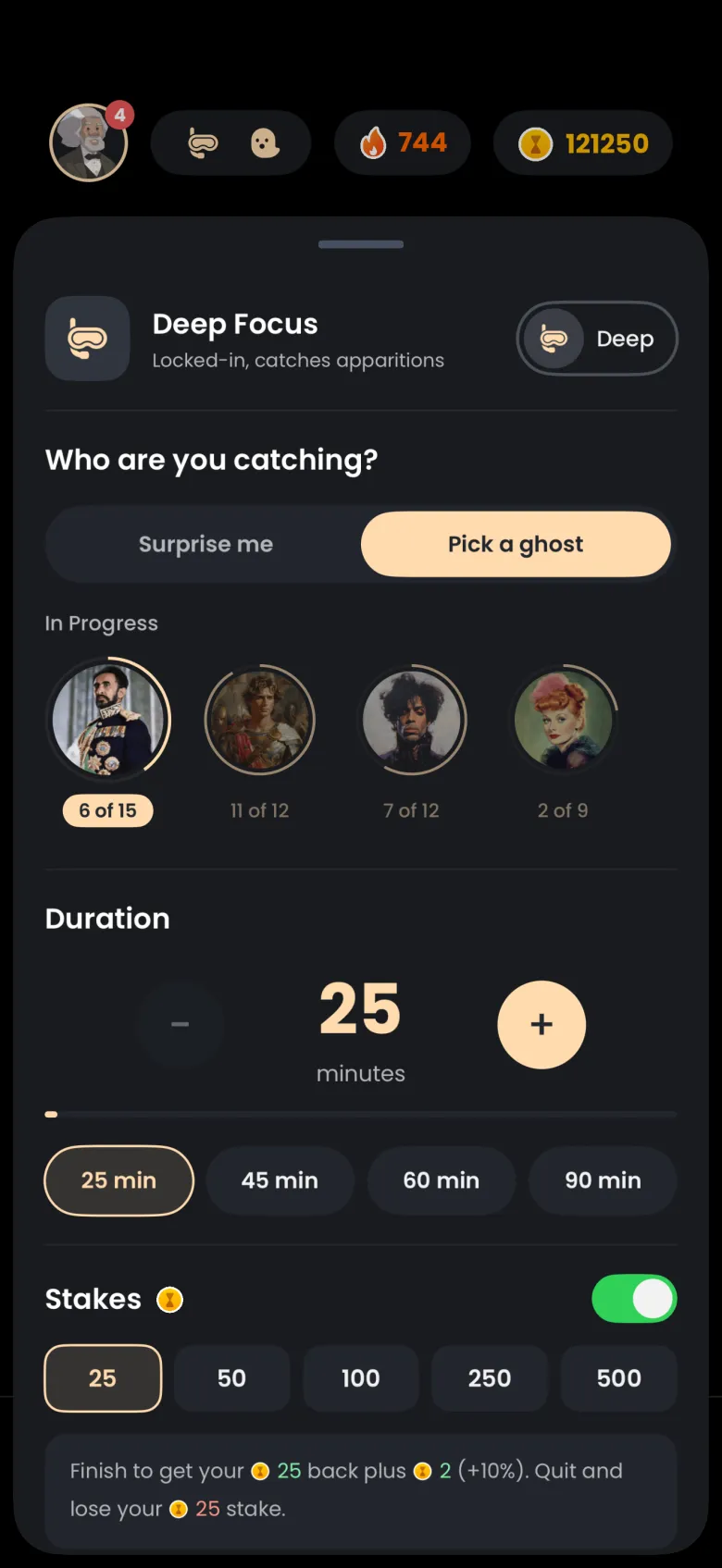
Turn on the Stakes switch in the focus settings sheet and choose an amount. Stakes unlock after you have caught five apparitions, and the amounts on offer are 25, 50, 100, 250 and 500 coins. Amounts above your balance are dimmed. If you finish the session you get your stake back plus a 10 percent bonus, rounded down; if you quit, you lose only the staked coins.
- On the Focus tab, tap the pill at the top to open the settings sheet.
- Switch on Stakes.
- Choose 25, 50, 100, 250 or 500. The line under the chips spells out both outcomes, for example that finishing returns 25 plus 2 and quitting loses the 25.
- Close the sheet and start your Deep Focus session.
The stake is not shown on the running timer, and your choice stays on for later sessions until you switch it off. If you cancel inside the first 10 seconds, nothing is charged. When a staked session finishes, the rewards screen shows a Stake Bonus row.
What happens to my stake if I lose the apparition?
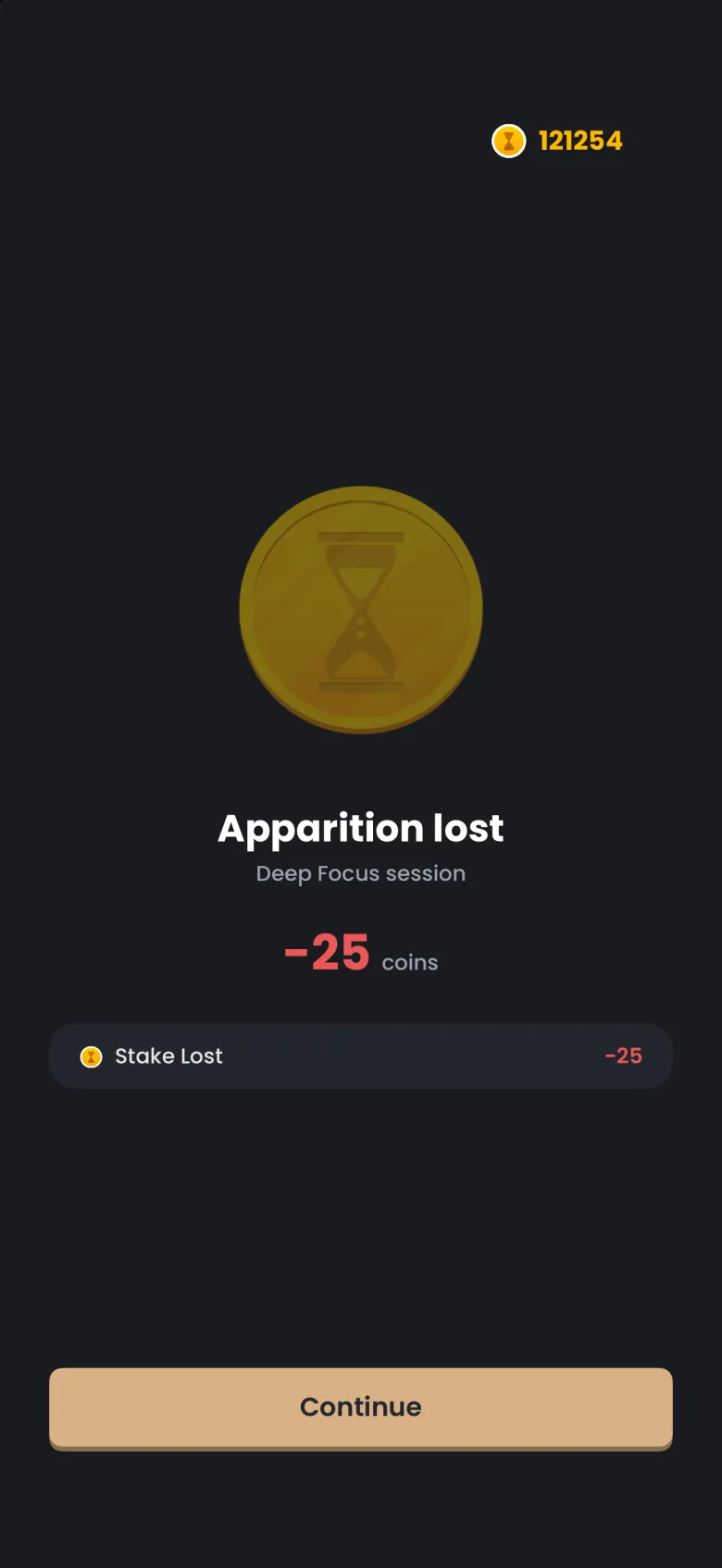
You lose exactly the coins you staked, and no more. Whether you end the session from the confirmation sheet, run out your grace period, or use up your exits, a staked session ends on an Apparition lost screen with the staked amount in red and a single Stake Lost row. Coins you earned before this session are not touched.
How do grace periods work?
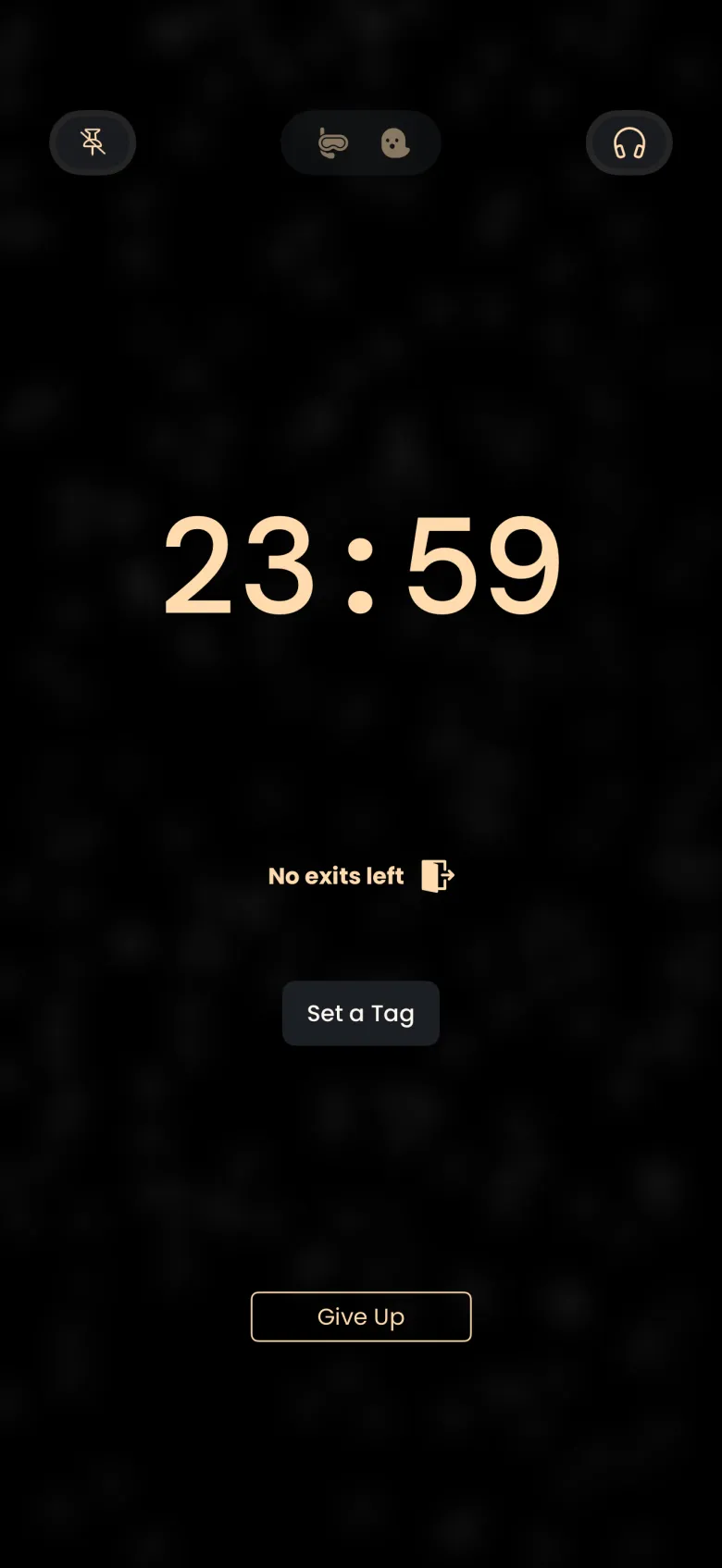
A grace period is the time you are allowed to be away from the app during a session. By default you get one minute at a time, three times per session, and it is free. Each time you leave and come back before the minute is up, the session carries on and one exit is used. The exits badge on the running timer shows how many remain, and it reads No exits left once all three are spent.
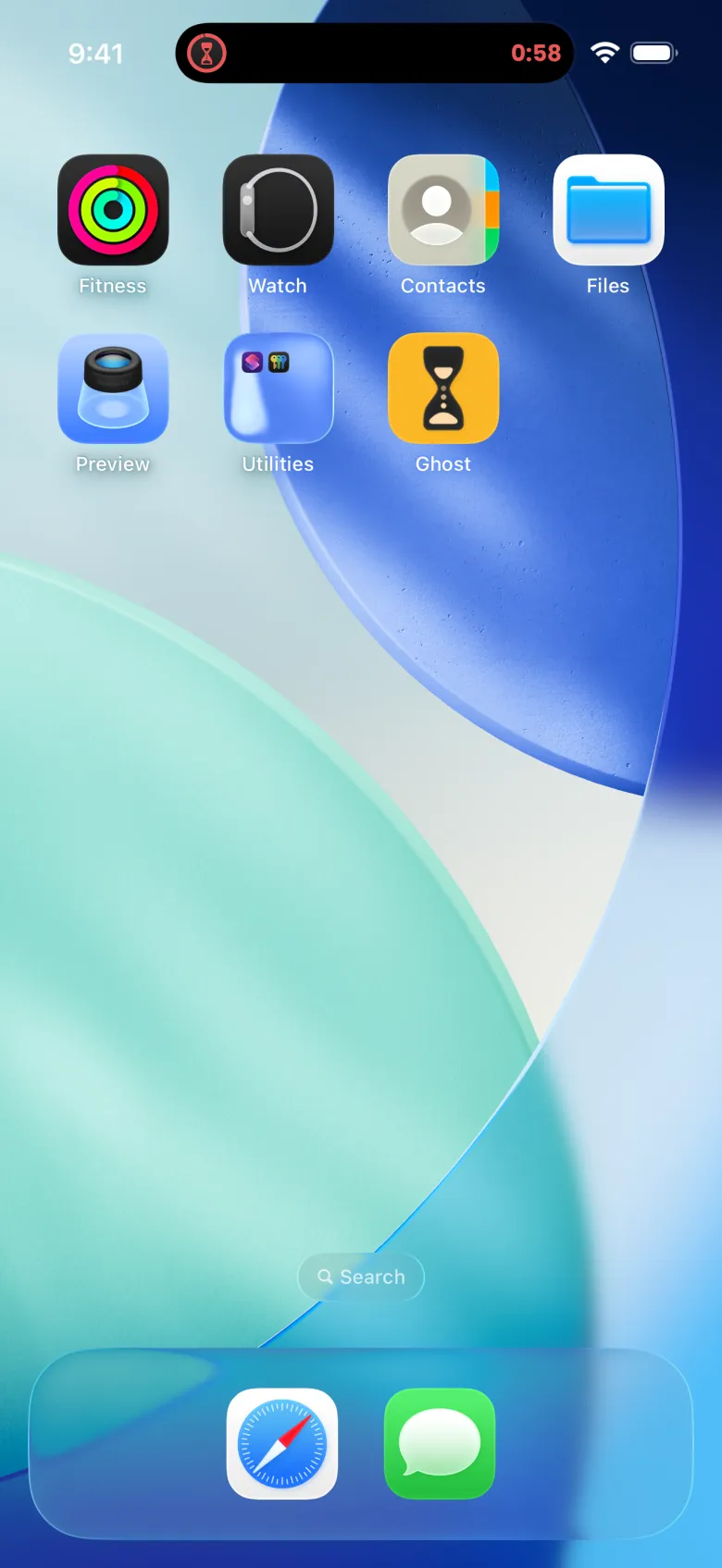
While you are away on iPhone, the Dynamic Island shows a red hourglass and a red countdown for your grace minute. If you come back in time, the timer is where real time says it should be.
What happens if I stay away too long or run out of exits?
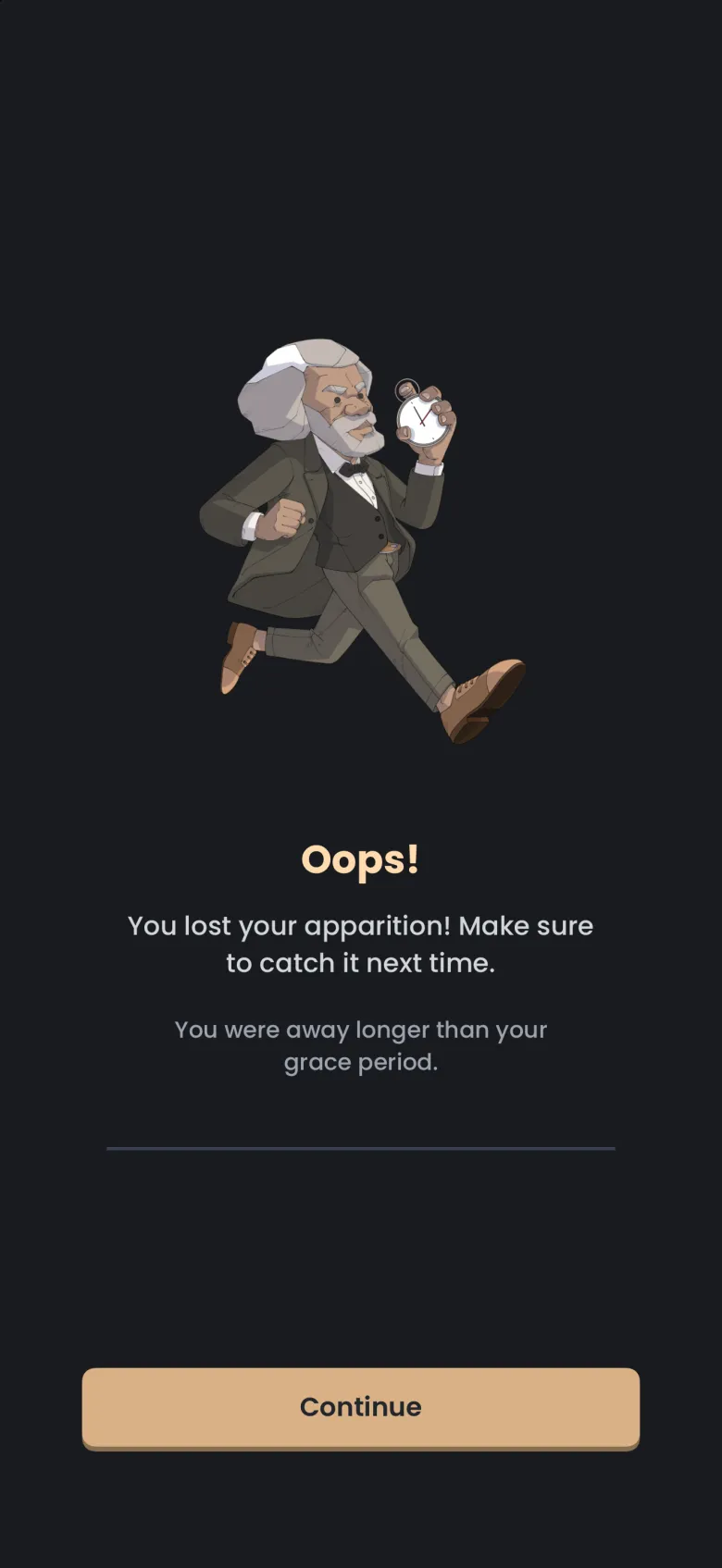
The apparition gets away. Two things end a session this way: staying away longer than your grace period, and leaving the app once more after your last exit. You see an Oops screen that says you lost your apparition, and on iPhone it adds a line explaining which of the two happened. A notification with the same message can arrive as you leave. A staked session also forfeits its stake.
Leaving the app means going to the Home Screen or switching to another app, and that uses a grace exit. Locking your phone is free, although on a phone without a passcode a lock can read as leaving the app. See the lock screen countdown for what you see while you are away.
Can I buy a longer grace period?
Yes. A 5 minute grace period costs 200 coins, and you can hold up to three at a time. Choose the 5 min card under Grace Period in the settings sheet; it shows how many you hold, and Buy for 200 appears if you want another. The app asks you to confirm before it spends the coins, and tells you how many you will have left.
When a 5 minute grace is selected, each exit lets you stay away for up to five minutes instead of one, and each one you use is spent, so check how many you hold before you rely on it.