Collecting ghosts
The Encyclopedia
The Encyclopedia lists every ghost in the library, caught or not, in alphabetical sections you can jump through or search. If a ghost is missing, you can suggest them from the search results.
- Available on iPhone and Android
The Encyclopedia is the whole library in one place. It lists every ghost, including the ones you have not met yet, so you can look up a name, check how rare a ghost is and see where to find them. It is free on iPhone and Android.
What is the Encyclopedia?
The Encyclopedia is a full-screen list of every ghost in the library, laid out as square portraits in alphabetical sections. Under the title a line gives the live count of ghosts, followed by the words and growing, because new ghosts are added over time. Open it with the book icon at the right of the Ghosts tab header, and close it with the X at the top left.
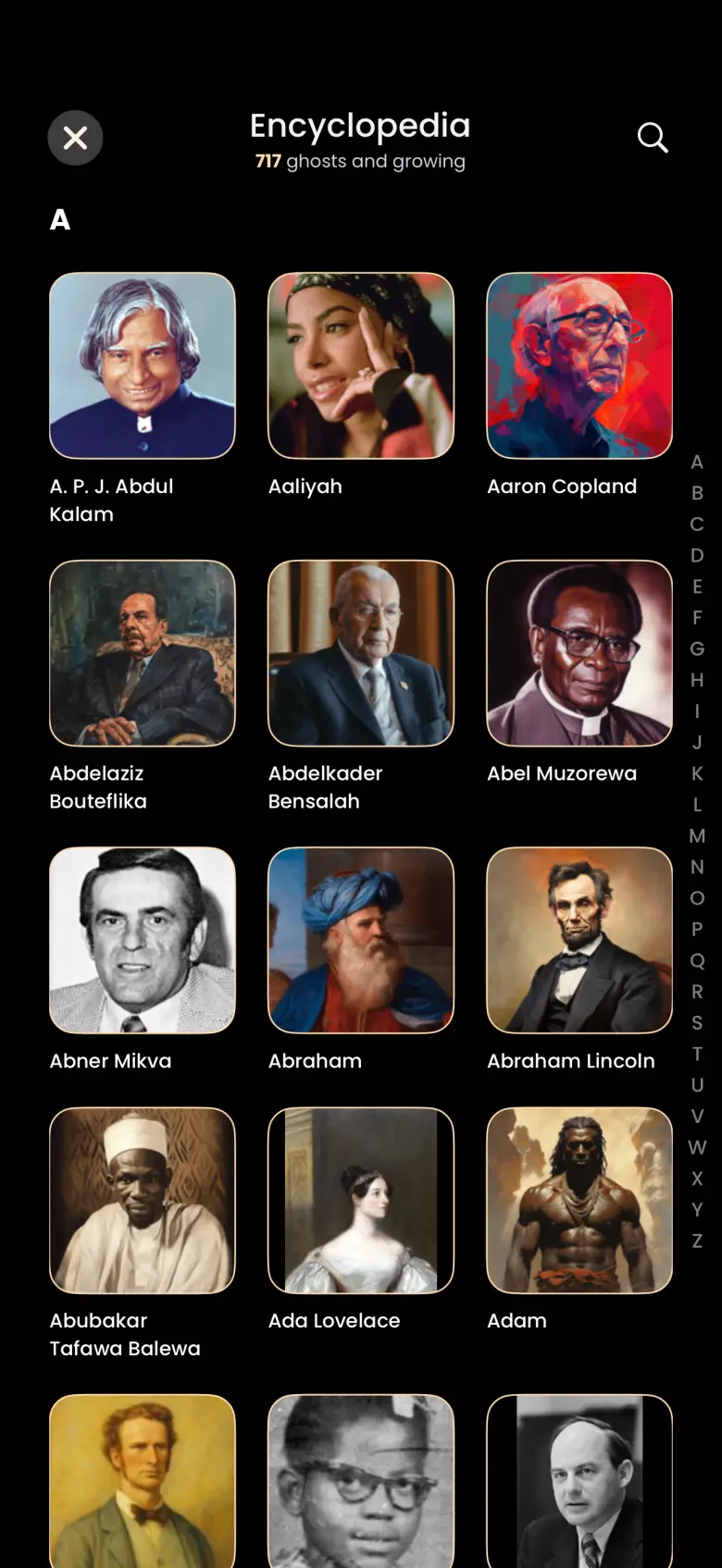
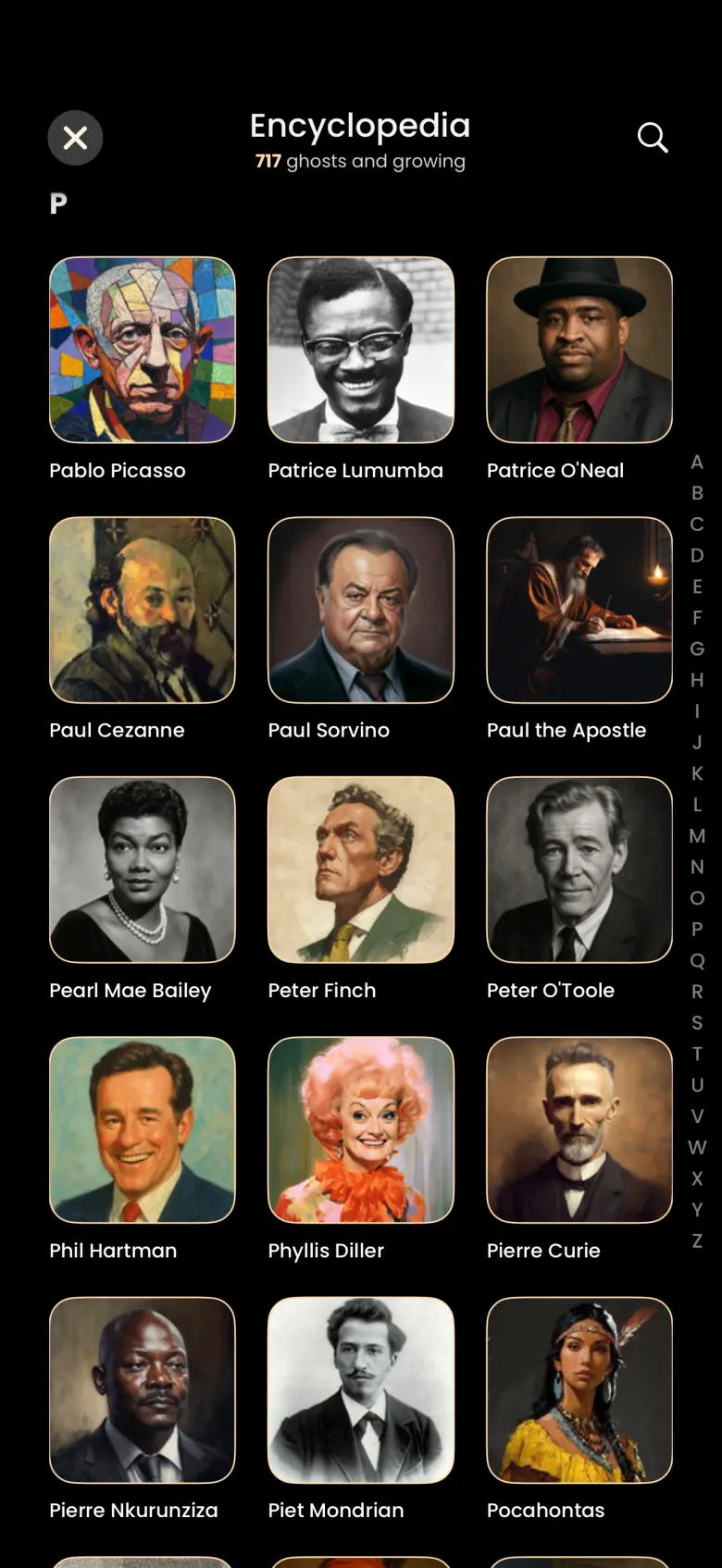
How do I jump to a letter?
Tap a letter in the A to Z index down the right edge and the list jumps straight to that section. The index is the quickest way to reach a name when you know where it falls in the alphabet. It hides while the keyboard is open, so it is only there when you are not searching.
How do I search the Encyclopedia?
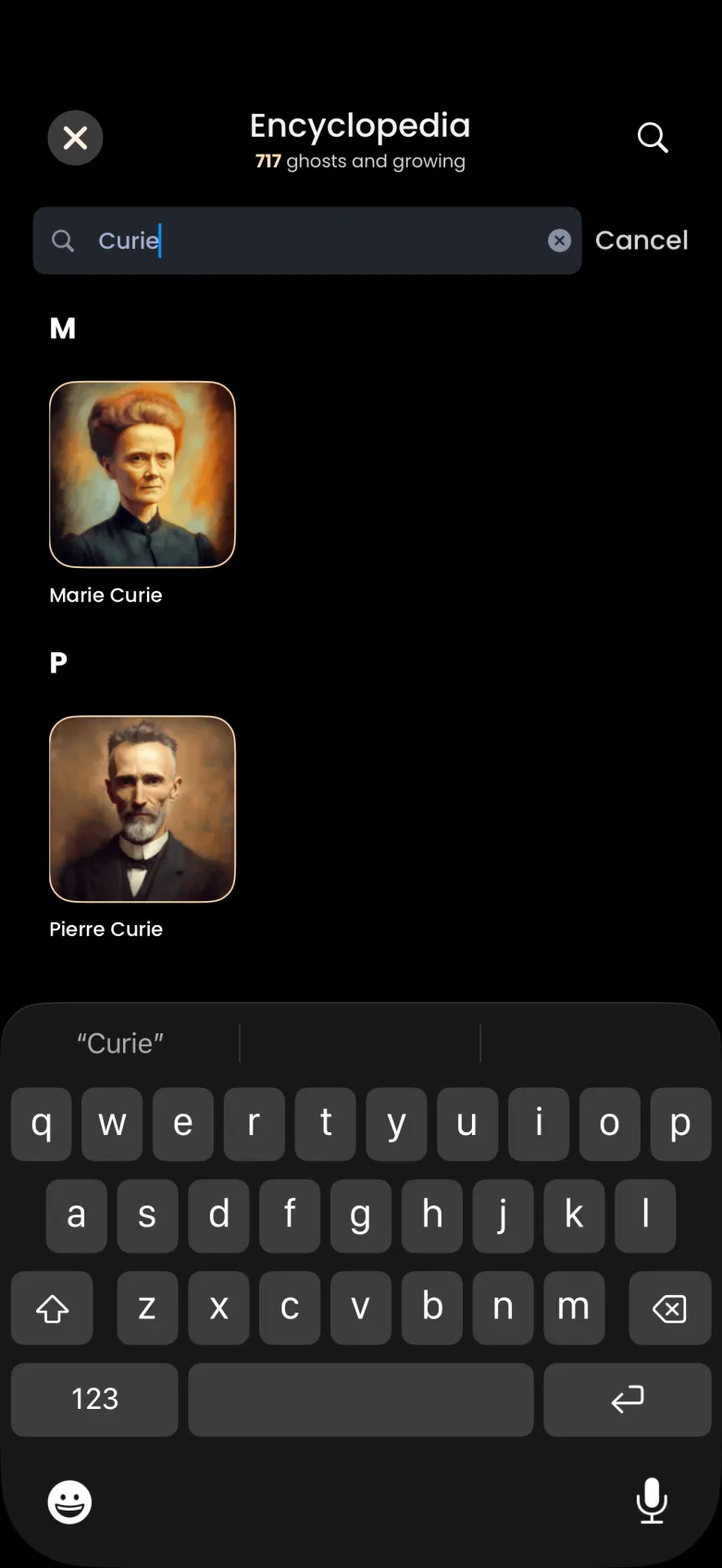
Tap the magnifier at the top right, then type a name. A search field with a Cancel button opens under the title, and the results stay grouped by letter. Search covers the whole library, so a ghost you have not caught still appears.
What does an Encyclopedia entry show?
Tap a portrait and a sheet opens with the ghost’s round portrait and name, followed by three notes. The first gives the ghost’s rarity. The second says where to find them, in the Store or in the Universe. The third lists the collections the ghost might belong to. Tap the X on the sheet to close it.
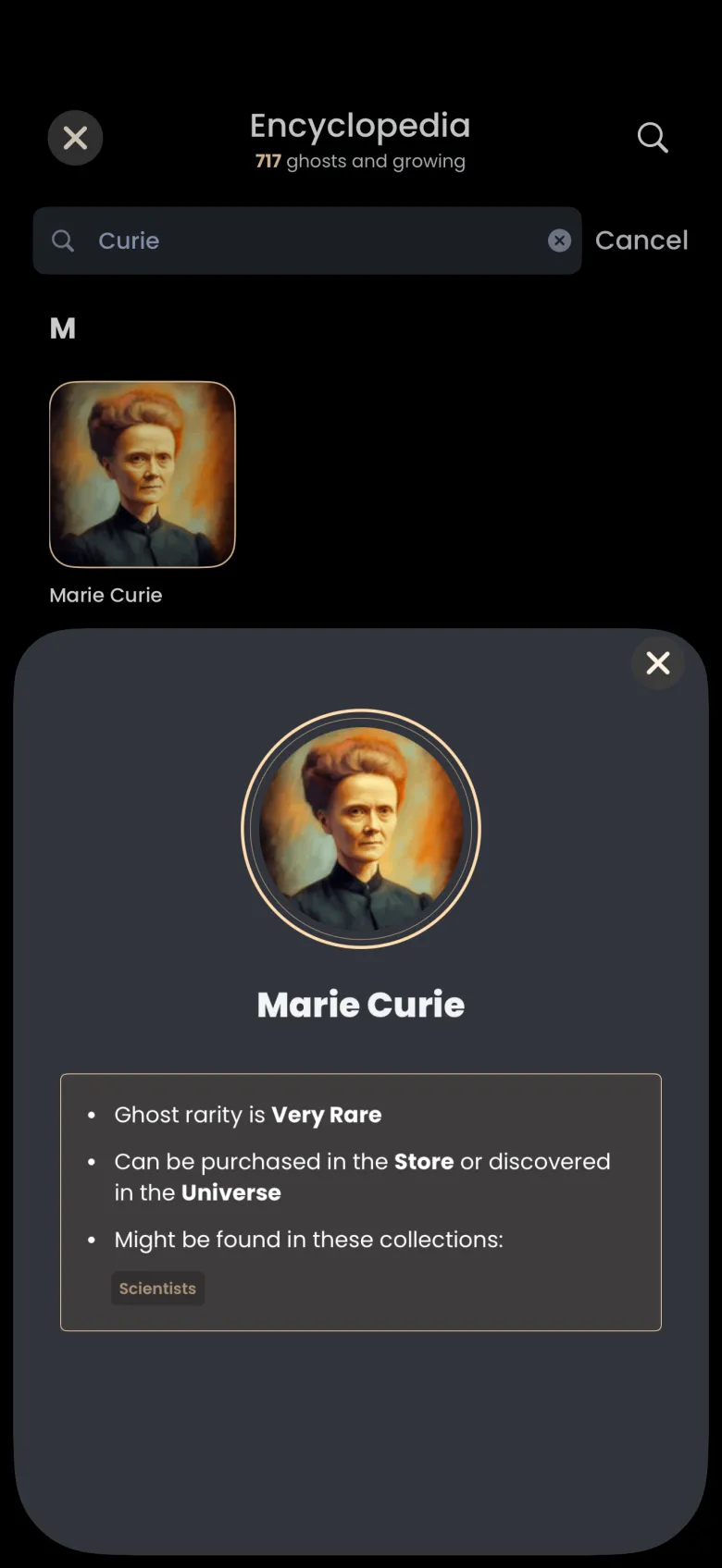
To collect a ghost, buy a pack that holds them in the Store, or find them through the Universe, then catch their apparitions in focus sessions.
What if a ghost I want is not in the library?
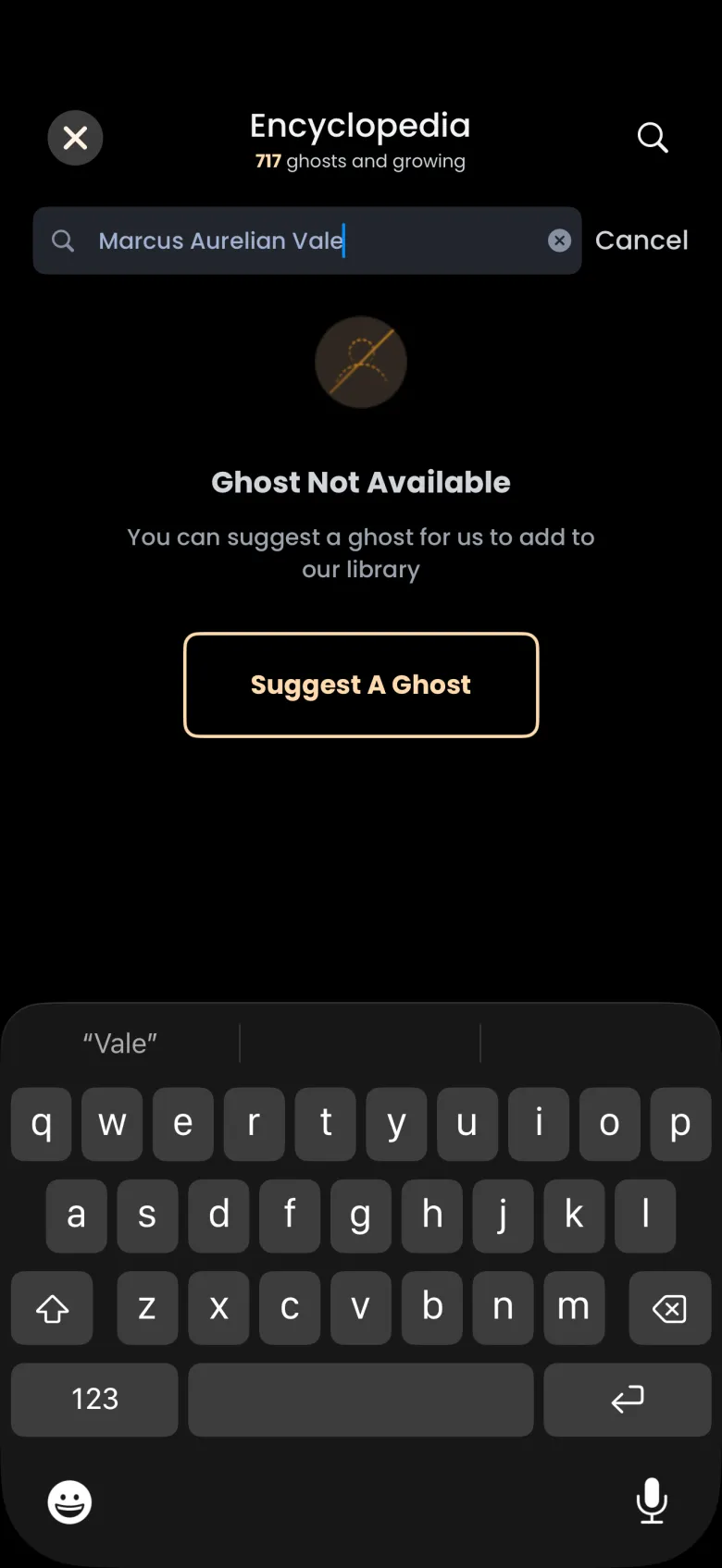
When a search finds nobody, the Encyclopedia says Ghost Not Available and offers a Suggest A Ghost button. Tap it to open the Suggest a Ghost sheet. The name you searched for is already filled in, so you only need to add anything else we should know, such as who the person was, and tap Send.
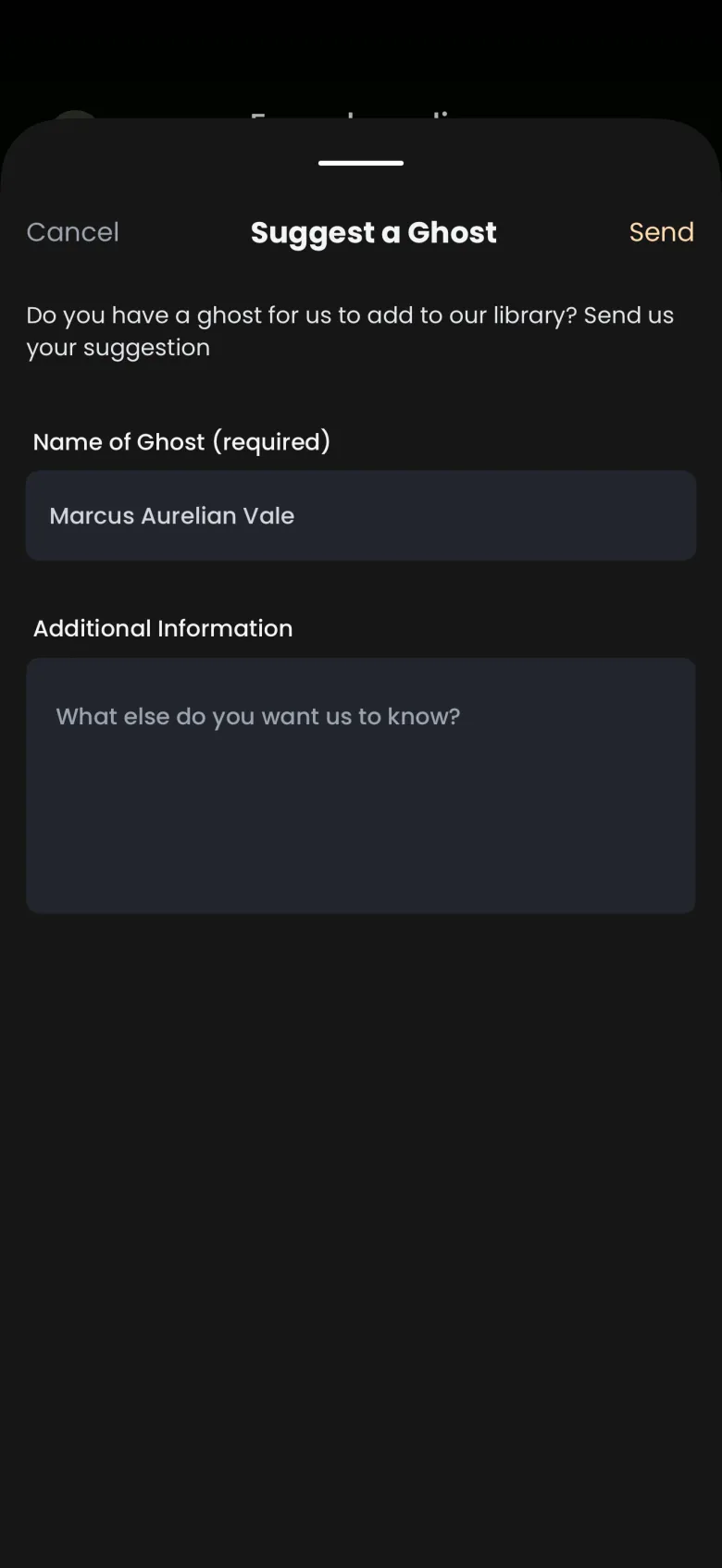
If you tap Cancel before sending, a Suggestion not sent dialog asks whether to stay or leave, so a suggestion is never lost by accident. Leaving closes the sheet without sending anything.