Store, coins and Pro
Coins: earning, spending and the Coins page
You earn coins by finishing focus sessions and spend them on ghost packs, longer grace periods and streak recovery. The Coins page holds your balance and the coin-spending extras, and the app asks you to confirm before every spend.
- Available on iPhone and Android
Coins are the currency of Catch the Ghost. You earn them by finishing focus sessions, and you spend them in the Store, on grace periods and on keeping a streak alive. A new account starts with 50 coins, and the whole coin economy works the same on iPhone and Android.
How do I earn coins?
Finish a Deep Focus session. When it ends, the rewards screen adds coins and XP to your account, with a breakdown card that shows each reason the total grew. The amount grows with how you focus.
- Longer sessions pay more than a standard 25 minute one.
- Finishing a ghost pays a x10 Caught a Ghost bonus, and Rare, Very Rare and Legendary ghosts add a rarity multiplier to that final catch.
- Easter egg apparitions pay a bonus.
- A streak of seven days or more adds a multiplier that grows as the streak does. How streaks work lists the milestones.
- A coin stake returns your stake with a bonus when you finish. Stakes and grace periods explains how to turn it on.
- Focus Together pays double coins and XP when at least two people in the room finish.
- Share and Earn pays you and a friend coins when the friend completes their first session of 25 minutes or more.
Coins are only put at risk by a stake you choose to turn on. Ending a Deep Focus session early still costs you the apparition you were catching, and the ghost stays in In Progress, but nothing is taken from your balance unless you staked coins.
Where is the Coins page?
Tap the coin balance in the header. It appears on the Focus tab, in the Store and on pages inside the Store. The Coins page opens over the screen you were on, with your balance at the top left and a close button at the top right.
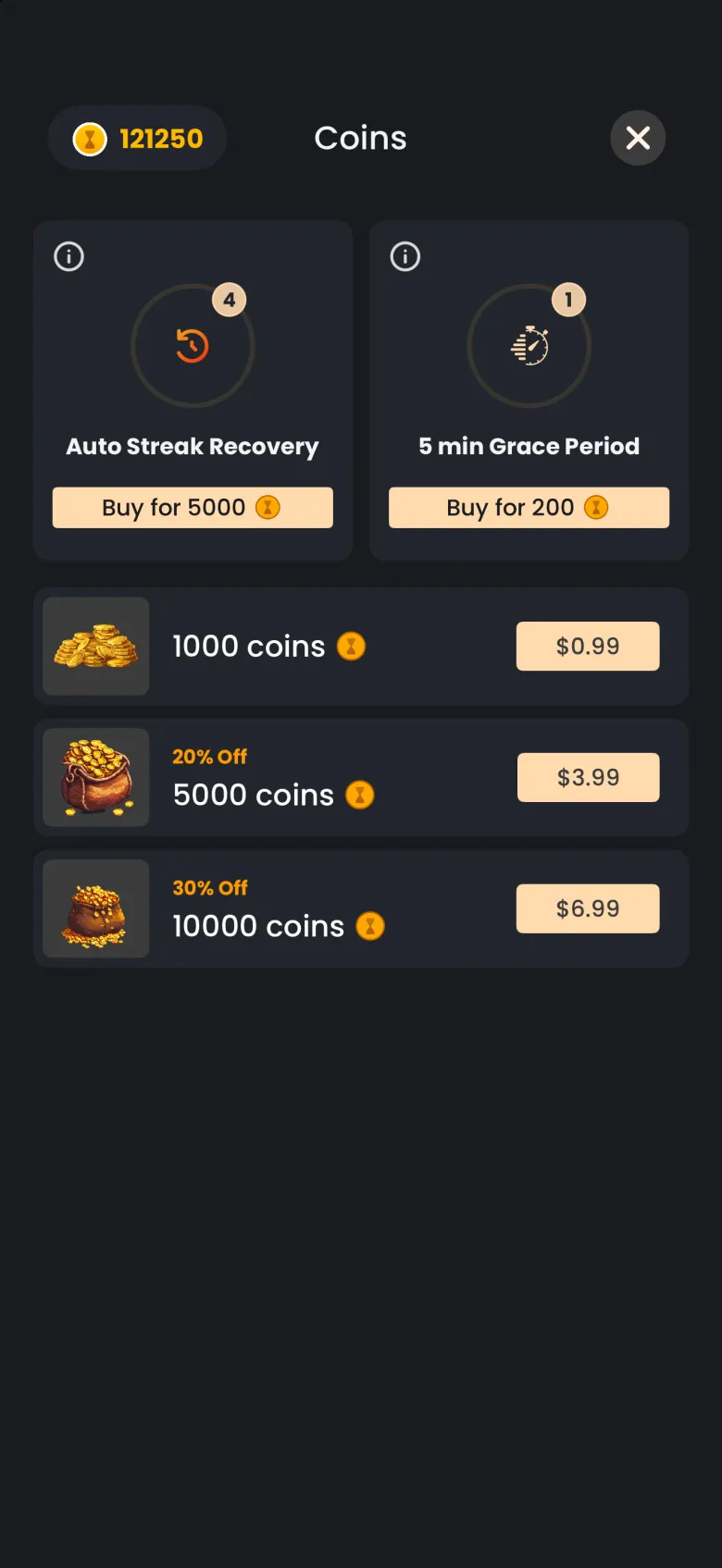

The two cards at the top are things you buy with coins. The badge on each card shows how many you hold. Under them are coin packs you can buy with real money, which is optional: every ghost pack in the Store can be bought with coins you earn by focusing.
What is Auto Streak Recovery?
Auto Streak Recovery saves your streak automatically on a day you miss. Each one you hold is used once. If you miss a day while you hold at least one, the app restores your streak for you and shows a message, so you never have to act in time. Tap the info icon on the card to read this in the app.
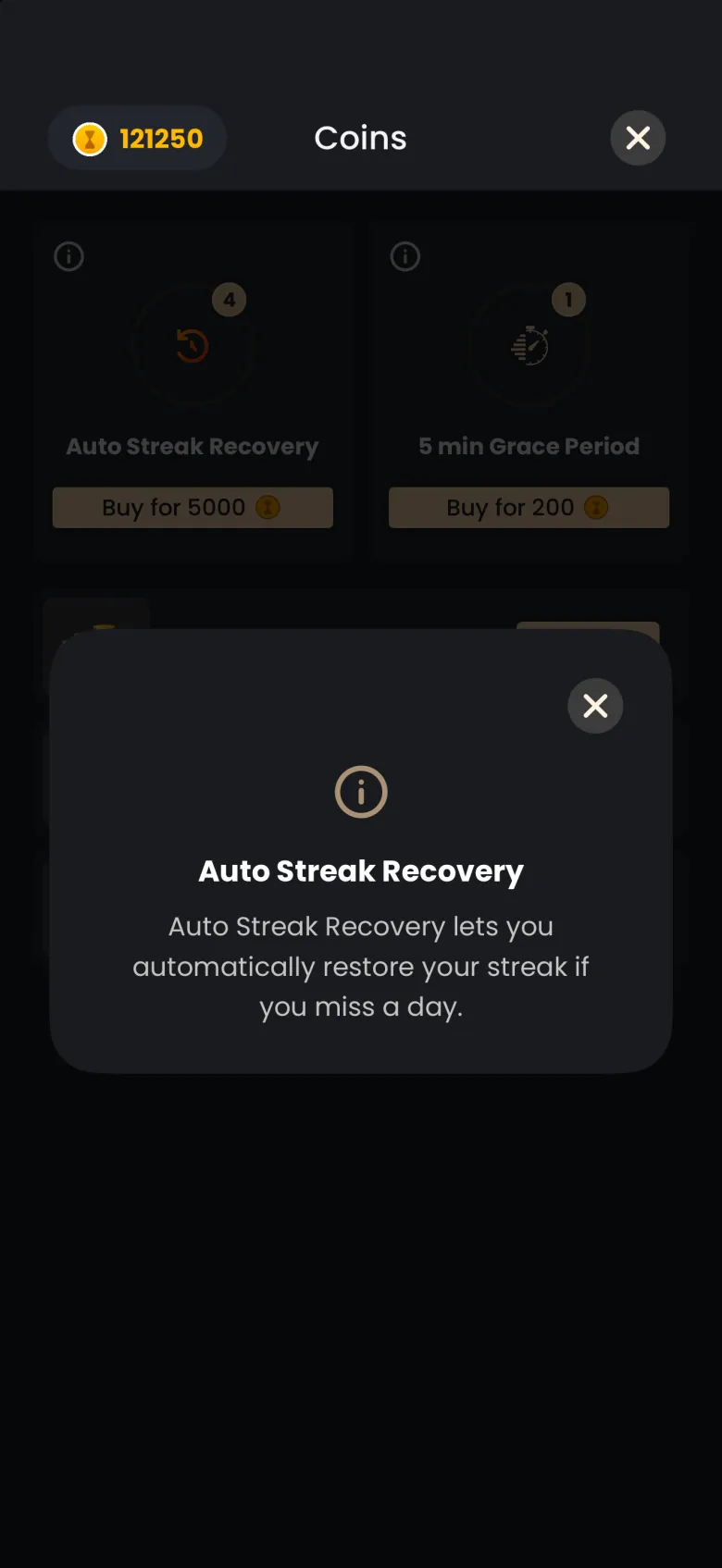
If you do not hold one when a day is missed, the streak resets and the app offers to repair it with coins instead. How streaks work covers that repair.
What is a 5 minute grace period?
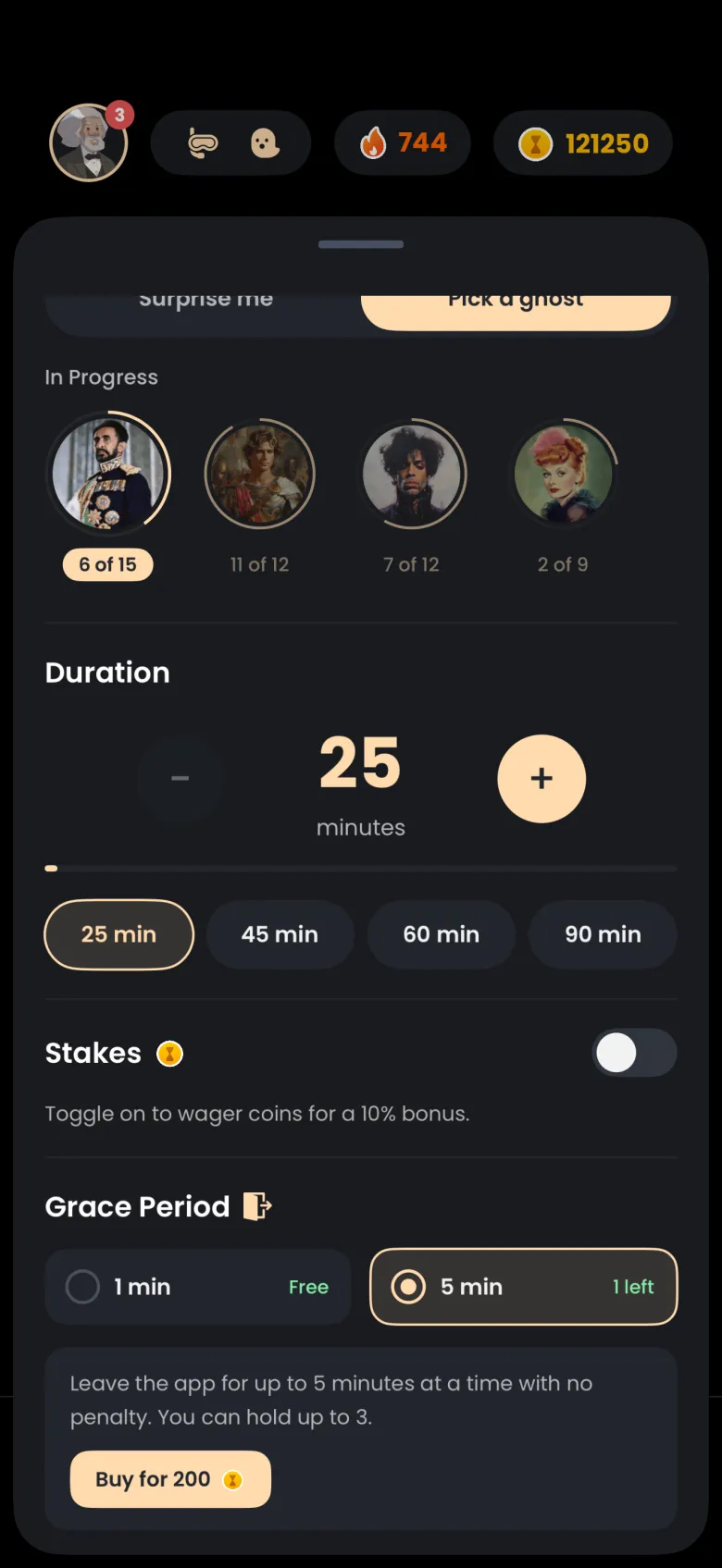
A grace period is the time you can spend away from the app during a Deep Focus session. Every session gives you a free 1 minute grace, up to three times. A 5 minute grace lets you step away for up to 5 minutes at a time, and you can hold up to 3 of them and refill as needed.
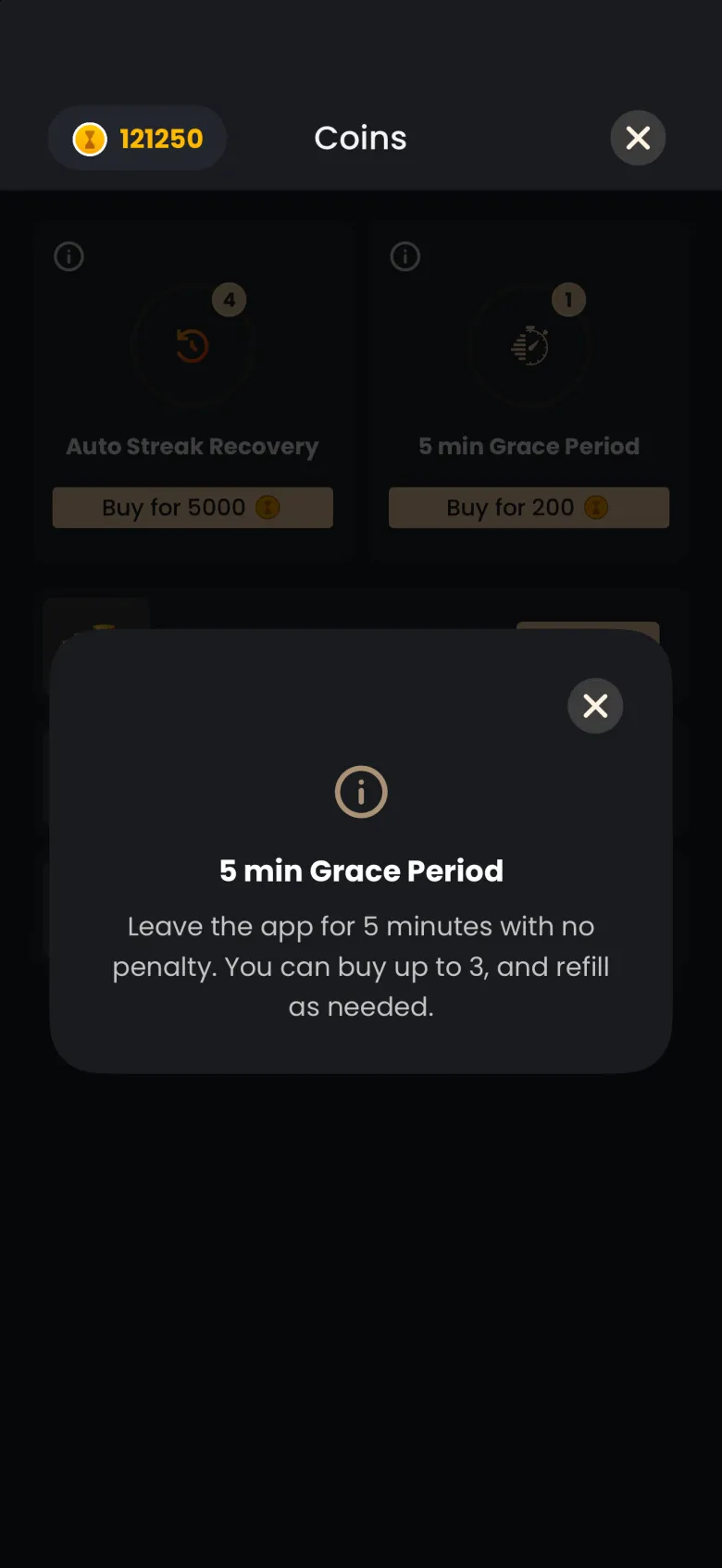
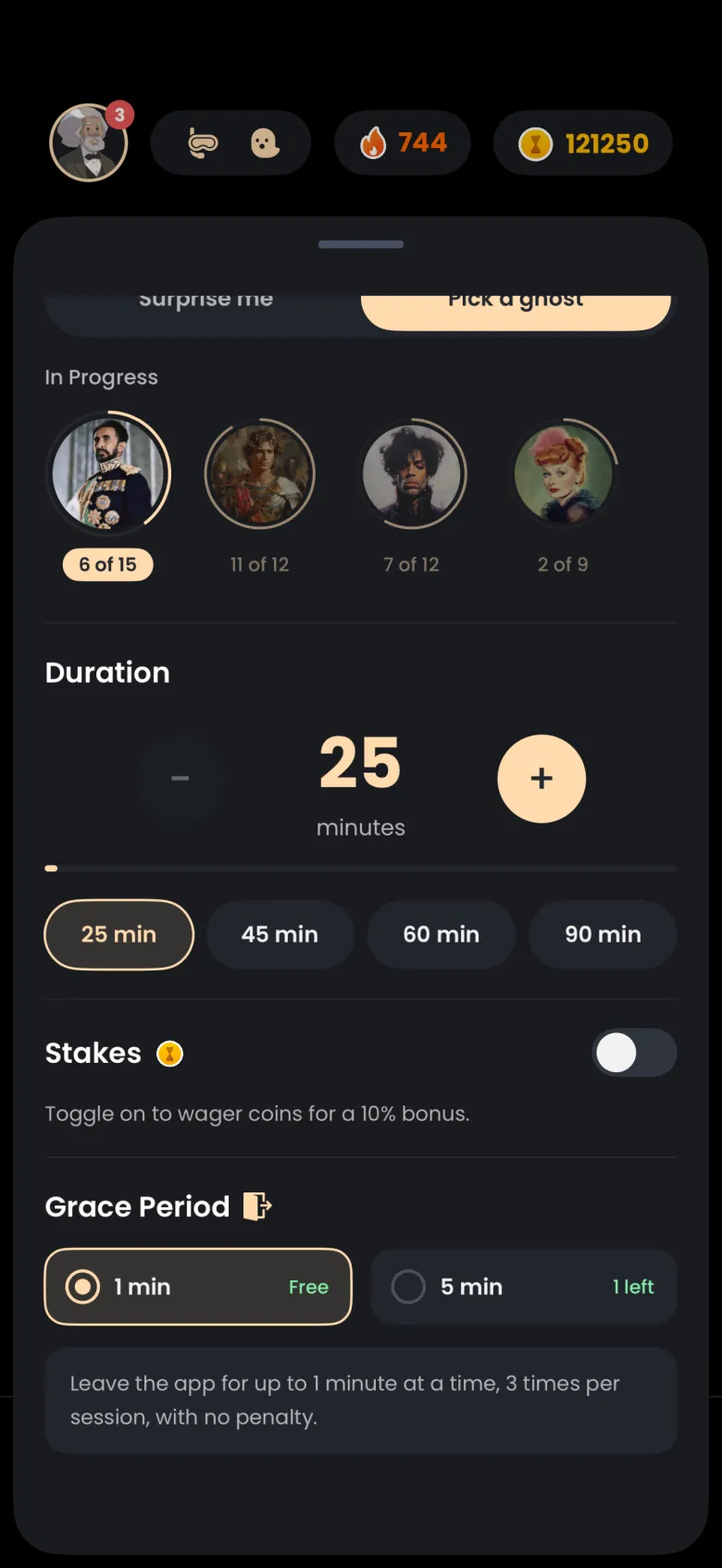
You can buy one from the Coins page, or from the focus settings sheet before a session. In that sheet, scroll to Grace Period, where a 1 min card marked Free sits beside a 5 min card showing how many you hold. Select the 5 min card to use one, and a Buy for 200 button appears while you hold fewer than three.
Does the app ask before it spends my coins?
Yes. Every spend of coins shows a confirmation first. The alert reads Spend N coins? and adds how many coins you will have left, and nothing is charged until you confirm. This covers buying a ghost pack, buying a 5 minute grace period from the Coins page or the focus settings, buying an Auto Streak Recovery, and repairing a broken streak with coins.
If you cancel, your balance does not change. Coin packs bought with real money are a separate purchase, handled by the App Store or Google Play, and their prices come from the store you use.