Sleep
The Sleep Timer
The Sleep Timer is a Catch the Ghost Pro feature that turns a night away from your phone into a catch. Choose a wake-up time, go to sleep, and wake to an apparition and a larger reward.
- Available on iPhone and Android
- Pro
What is the Sleep Timer?
The Sleep Timer is a session you run overnight instead of during the day. You choose when you want to wake up, tap Go to Sleep, and leave the app open and your phone alone until morning. When your wake-up time arrives, you catch an apparition and earn a reward that grows with the hours you slept. It is part of Catch the Ghost Pro on iPhone and Android.
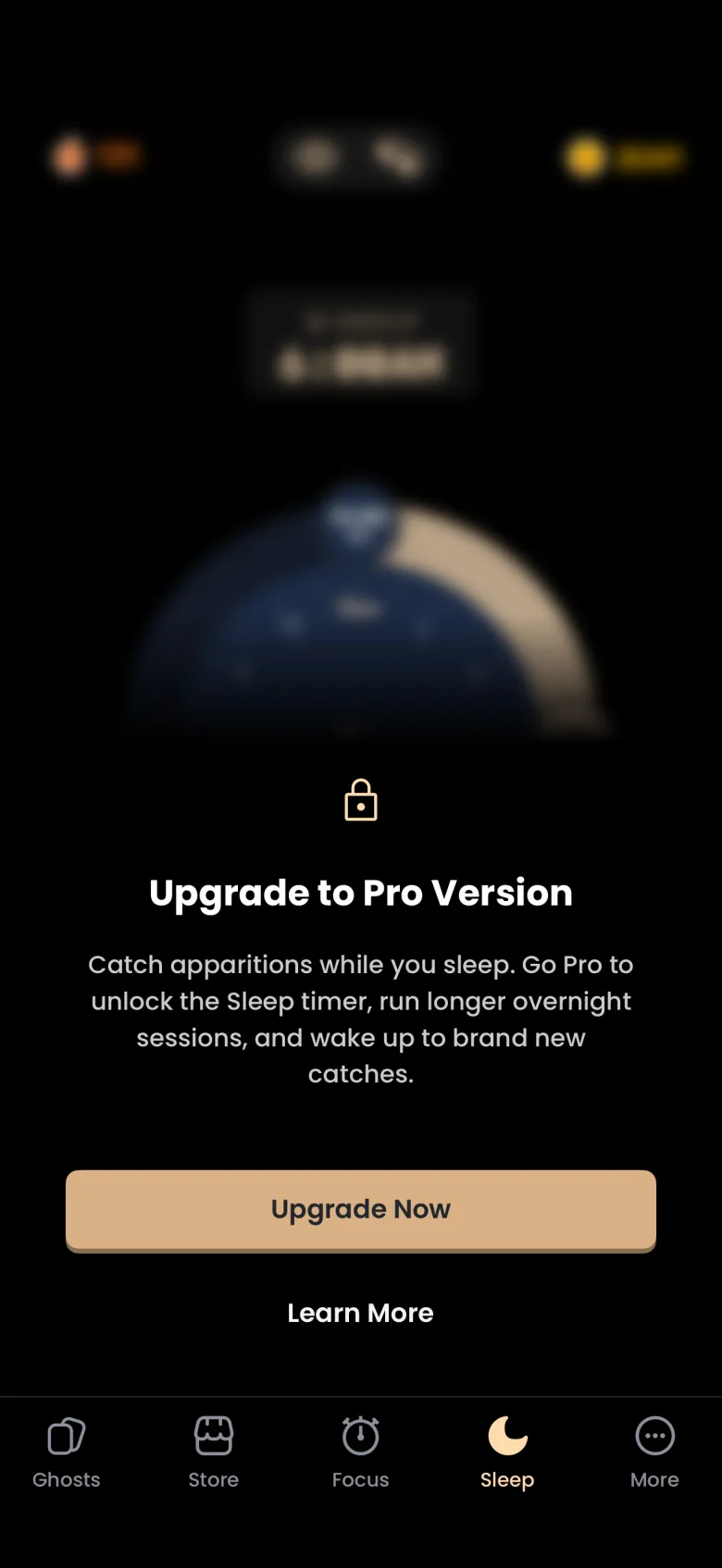
On a free account the Sleep tab sits behind an upgrade card that explains the feature, with Upgrade Now and a Learn More link that opens the Pro screen.
How do I set my wake-up time?
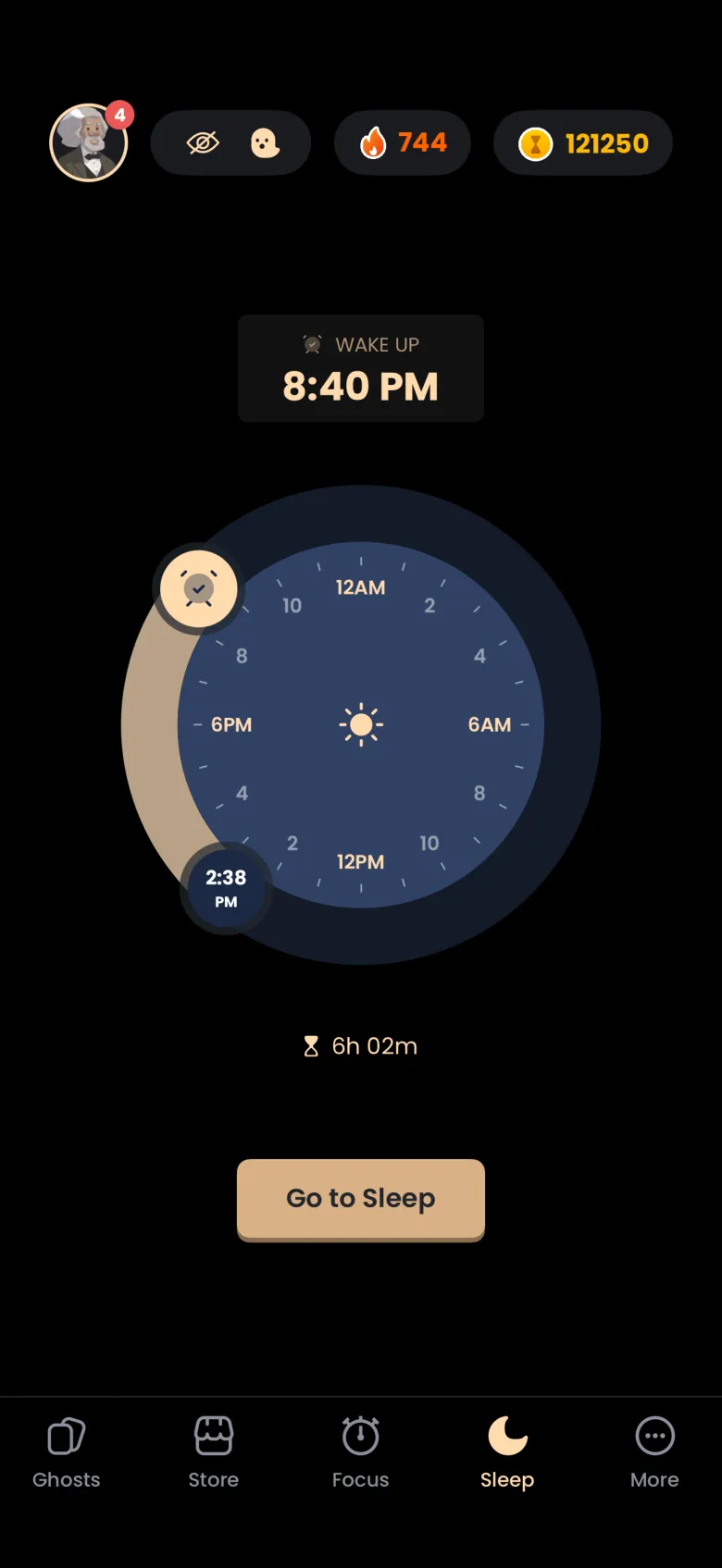
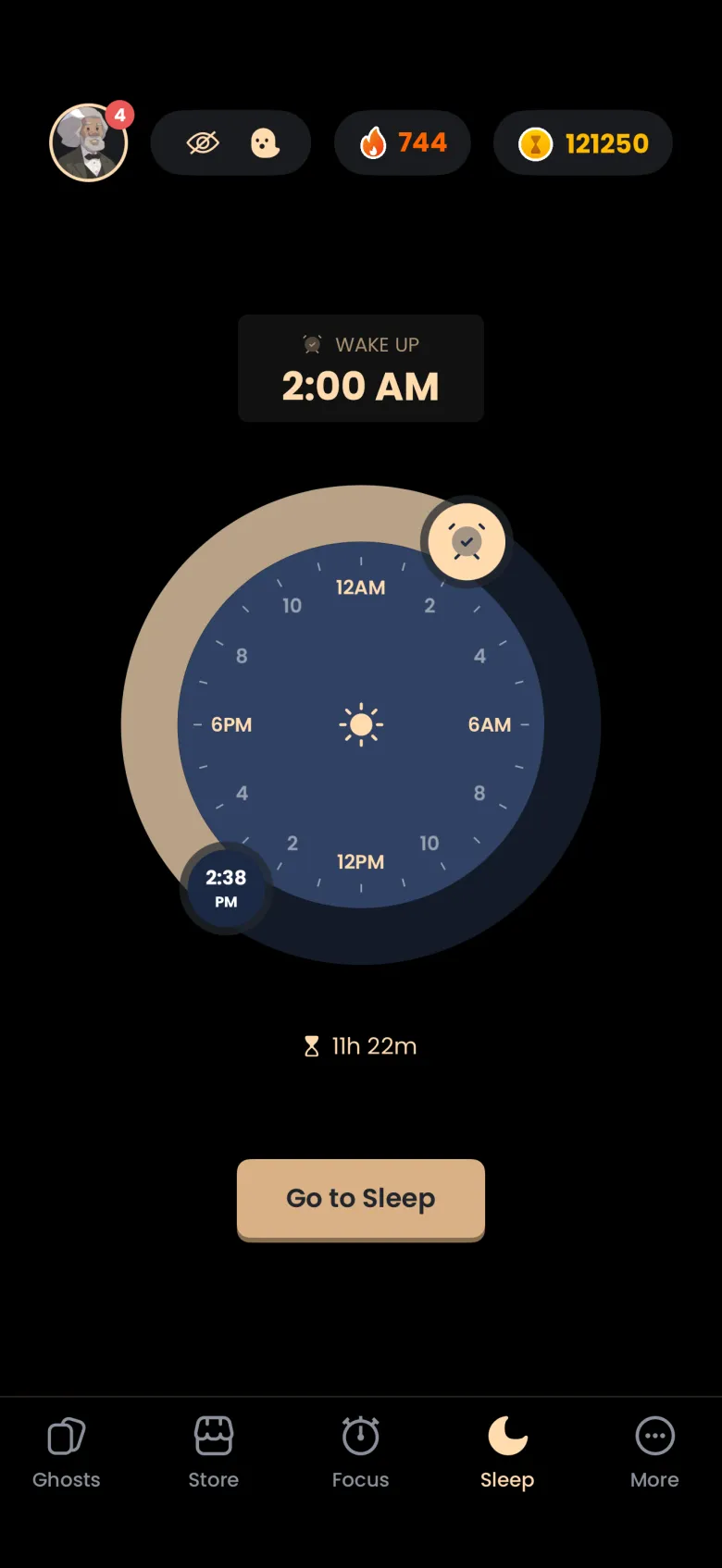
Open the Sleep tab, the moon in the tab bar, and drag the alarm-clock handle around the dial to the time you want to wake. The WAKE UP card above the dial follows the handle and snaps to 5 minute steps. The dial is a 24 hour clock, with midnight at the top, 6 AM on the right, noon at the bottom and 6 PM on the left.
The smaller handle shows the current time and cannot be dragged. The line under the dial shows how long your sleep will be. By default the wake-up time is six hours from now, rounded up to 5 minutes. The timer needs at least four hours, and if you set less the handle turns red and Go to Sleep is disabled.
What do Redshift, Alarm and Stakes do?
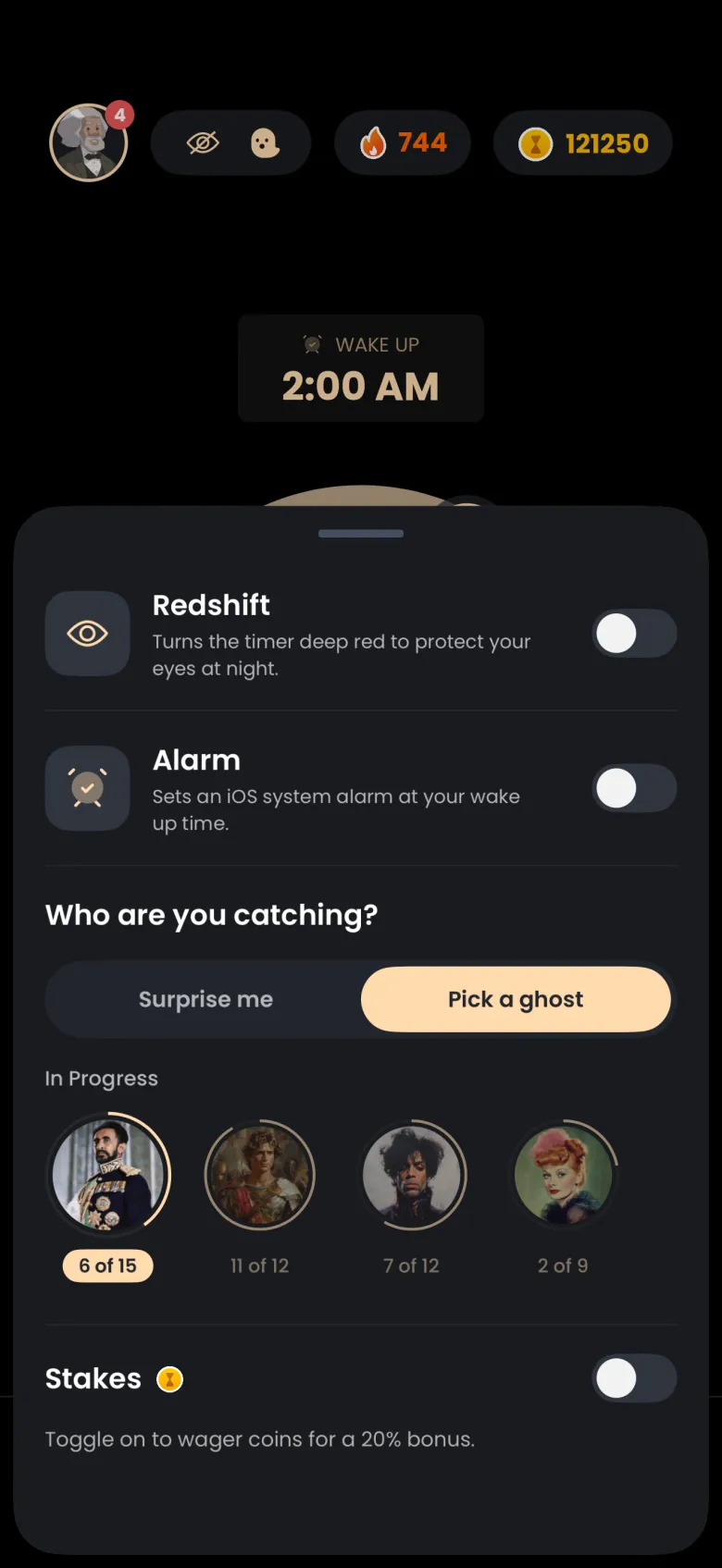
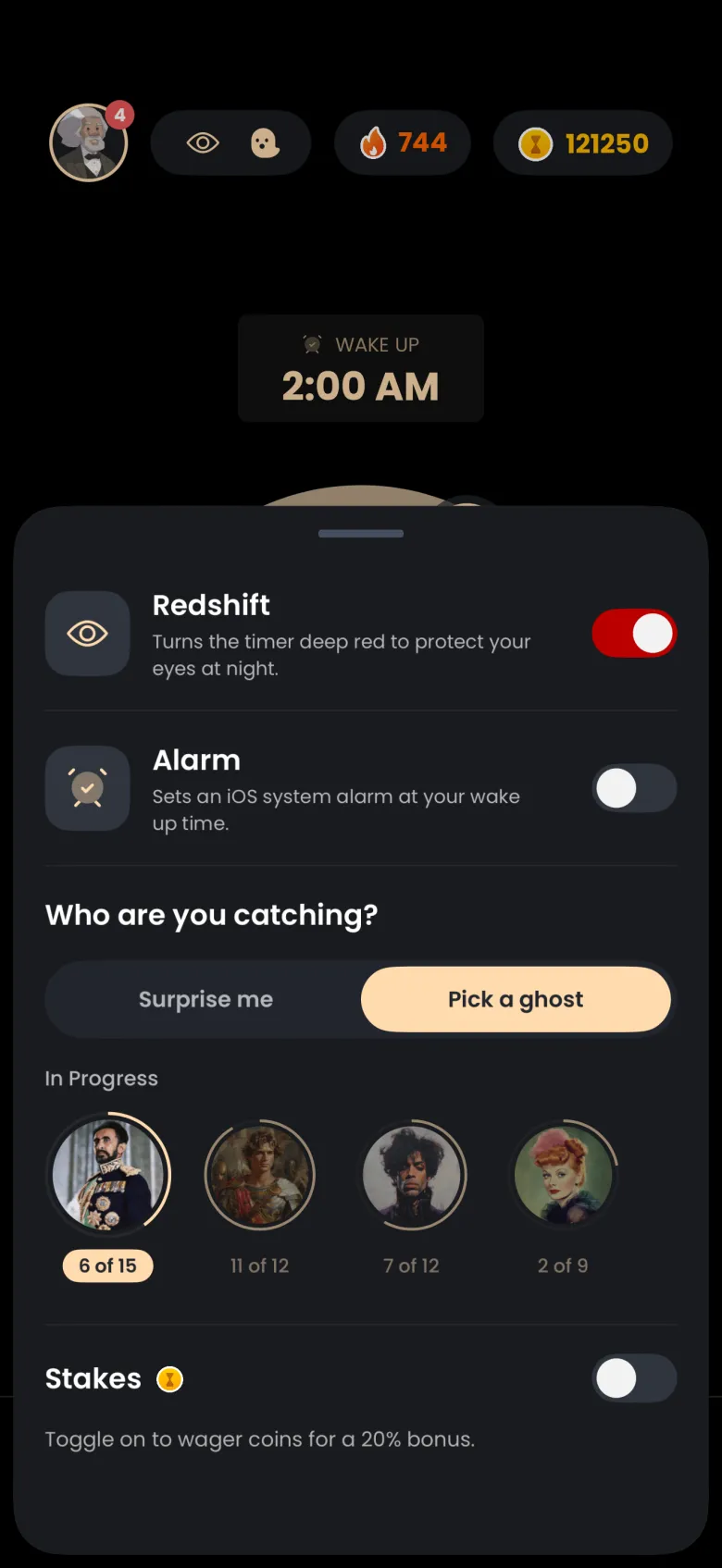
They are the options in the sleep settings sheet, which you open from the pill with the eye and ghost icons at the top of the Sleep tab. Redshift turns the timer deep red to protect your eyes at night. Alarm sets a system alarm at your wake-up time. Stakes lets you wager coins on finishing, with a 20 percent bonus returned on top of your stake if you do.
The sheet also asks who you are catching: Surprise me, or Pick a ghost from your In Progress ghosts. On iPhone, the first time you switch on Alarm, iPhone asks whether the app may schedule alarms and timers. On Android there is no prompt, and the app sets an alarm clock for your wake-up time.
How do I start a Sleep session, and can I cancel?
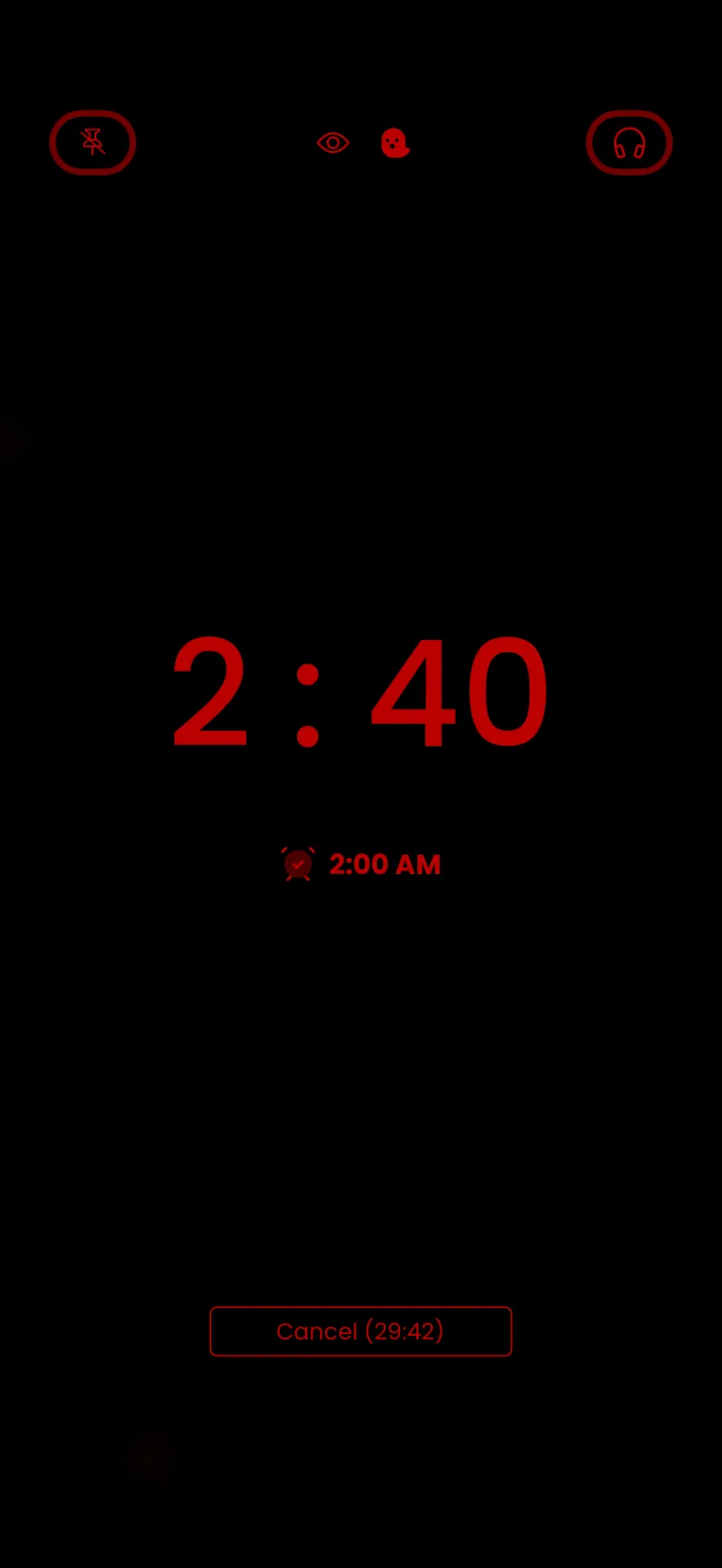
Tap Go to Sleep. A short loading screen shows your guide, then the running screen takes over. With Redshift on, everything is deep red on black, with the current time large, your wake-up time beside an alarm icon, and pin and headphones buttons at the top. For the first 30 minutes you can cancel, and a Cancel button counts down the time you have left to do so.
Canceling in that window records nothing and removes the pending alarm. After 30 minutes, ending the session loses the apparition, and a staked session forfeits its stake. Sleep Timers have no grace periods. The app’s own tip says you can lock your phone during a Sleep Timer, but do not go to the Home Screen or switch apps. Locking is free, although on a phone without a passcode a lock can read as leaving the app, so keep the app open if you are unsure.
What happens when I wake up?
At your wake-up time the alarm rings and the apparition is revealed underneath it. On iPhone the alarm appears as a banner with a close button; on Android it is your phone’s alarm clock. Stop the alarm, read the chapter, and tap Continue to see the rewards.
The rewards screen builds your coins and XP from several rows: a base amount, Sleep Focus at 2.0, a multiplier for the hours you slept, and your streak multiplier. The hours multiplier is 5 up to six hours, 6 from six to eight hours, 8 from eight to ten hours, and 10 for ten hours or more. A staked session also shows its bonus. Afterwards the wake-up time resets to six hours from now, ready for the next night.